
Wall snapping for rear worktop edges
iX 2021 SR1 already offered options for enabling the wall snapping for left and right worktop edges.
In iX 2021 SR2, another option has been added to control the snapping of worktop rear edges against walls.
Control in the Element Manager
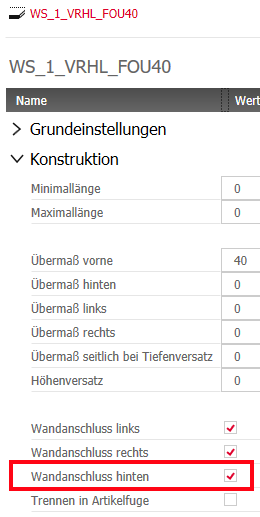
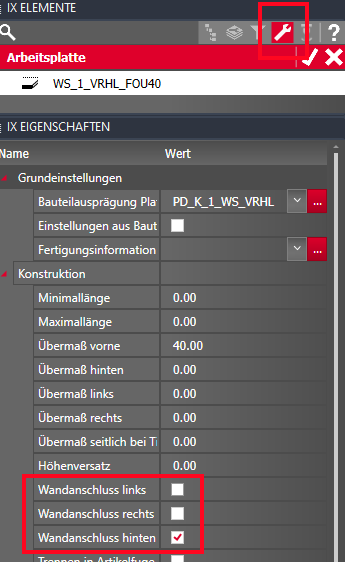
You can enable or disable the option in Work Surface principles and overwrite it in the iXplorer Properties if necessary.
Control in the article XML for the Configurator
You can also set the wall snapping of the rear edge for worktops that are generated using the Configurator (Design Manager). You create the data for this in the article XML of the Work Surface principle and thus overwrite the settings of the imos main data mentioned above.
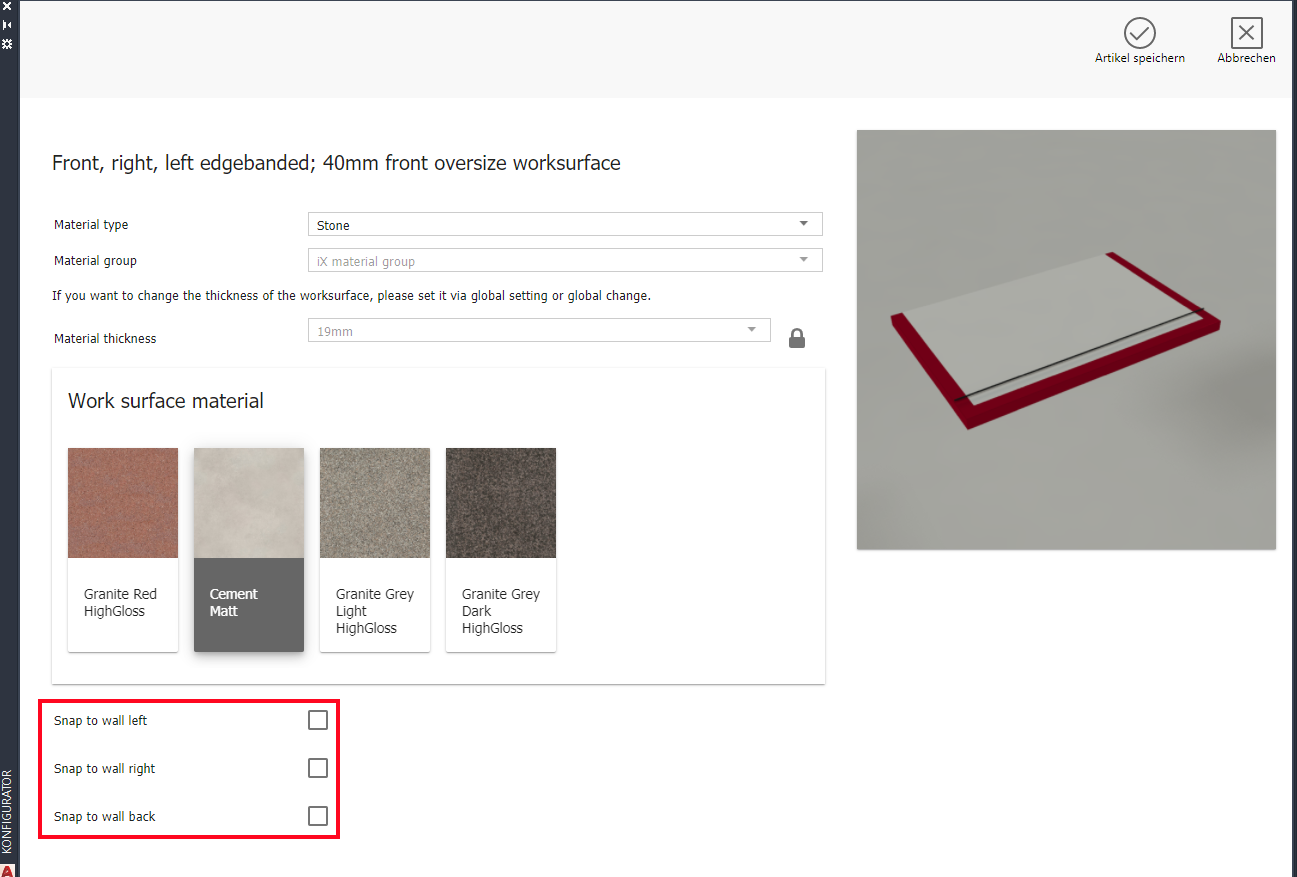
You can define the control wall snapping for worktop edges in the article XML using the following variables in the @name attribute.
- ___CP_WALL_SNAP_BACK
- ___CP_WALL_SNAP_RIGHT
- ___CP_WALL_SNAP_LEFT
Example: Definition for the "Snap to wall back" checkbox in the article XML.
<CHECKBOX name="___CP_WALL_SNAP_BACK" label="Snap to wall back" default="No" checked="Yes" unchecked="No" visible="TRUE"/>