
Duplicate a Machine Stop
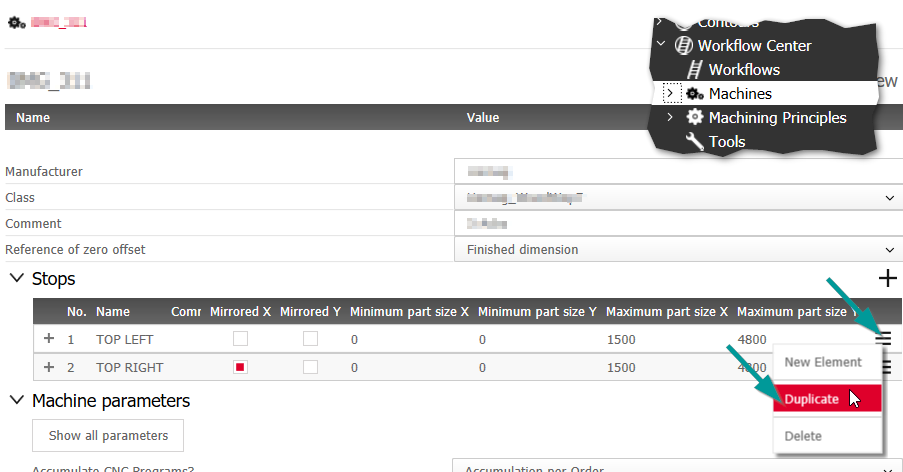
Similar to the "Duplicate Workflow" function in iX 2021 SR1, you can duplicate existing Machine Stops in SR2. You can then adjust the duplicates to a new use case with just a few clicks.
Procedure:
- In the Machine principle, open the drop-down Stops.
-
In the Stop row to be duplicated, click on Sandwich menu>Duplicate.
A copy of the Stop is created and appended as a new row at the end of the table. The initial Stop name is the table row number.
- Rename the duplicated Stop and make changes to the Stop.
- Save the Machine principle.