iX Installation Manager
The iX Installation Manager provides support for installing iX applications.
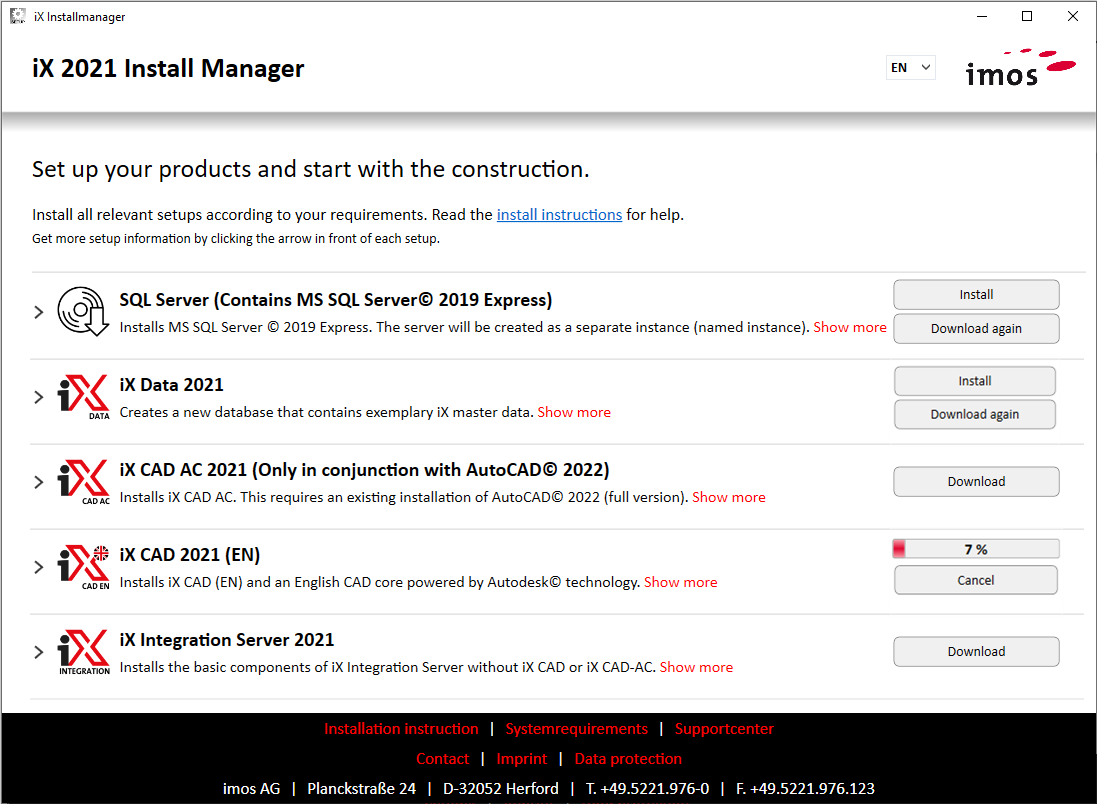
Download the EXE file in the iX Support Center under Software>Setup and double-click to launch the program. The iX Installation Manager will list all system setup tools as well as the iX desktop applications available to download.

If you do not know precisely which setup tools you need, and which order you need to install them in, please read either the installation instructions linked in the dialog or the detailed description. The details are displayed by clicking on the arrow next to the name of the setup tool.
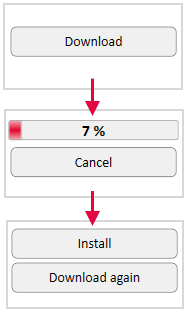
Click on the “Download” button to start downloading the relevant setup tool. You will see a progress bar. Once the download is complete, you will see an “Install” button that you can click to start the setup. If you need to download the file again, click “Download Again”.
Note: The setup tools are saved in the SetupRes folder, which is located in the same directory as the iXInstallmanager.exe file.