
Staying in control of positioning and stretching articles
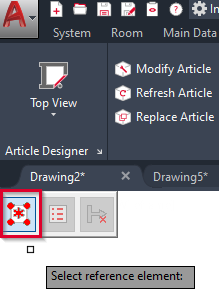
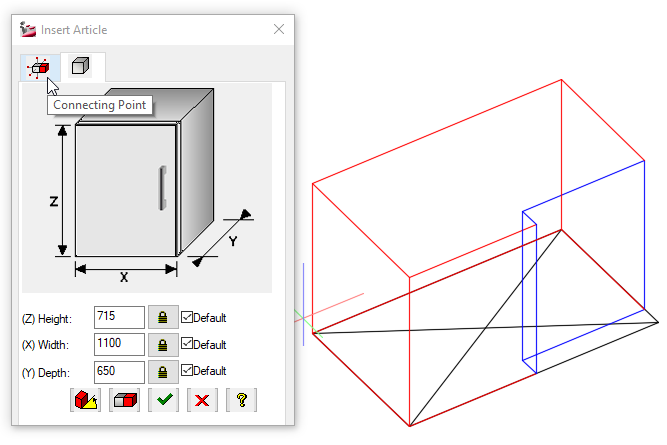
In addition to the switches ‘Insert Options’ and ‘Insert in stretch mode’ in iX PLAN, iX CAD offers a third switch: the ‘Expert mode’. It brings back the old insert dialog in iX 2019 SR2 and offers CAD users enhanced options. Click the button in the top left corner during insertion to switch to expert mode – after selecting a reference point, the expert Insert dialog shows up.
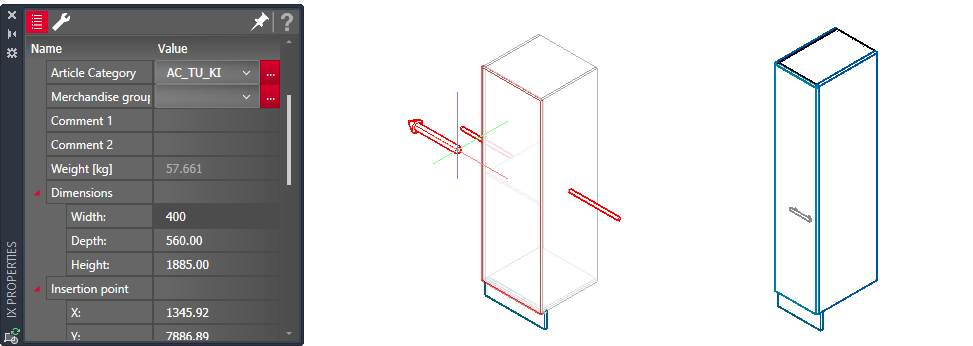
When changing the dimensions of an order article in the iX PLAN Configurator, in the Article Designer or in the Properties palette, iX CAD and PLAN will automatically switch into the strech-mode. You can select one of the two directions that the article stretch can be applied to, saving you the time of repositioning the article flush with other articles.
May 2020 | iX 2019 SR2
#01274