
Insert Options and Stretch Article
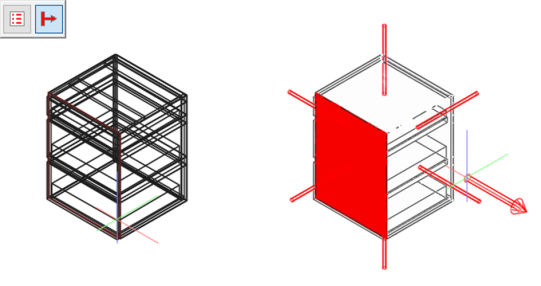
Plan articles in just a few steps with the new buttons ‘Insert Options’ and ‘Insert in stretch mode’. They appear in the upper left of the drawing area if you
- insert an article
- use the methods copy article or
- move article.
Click the ‘Insert with stretches’ option in the drawing area to switch to stretch mode immediately after insertion; click the option again to cancel it.
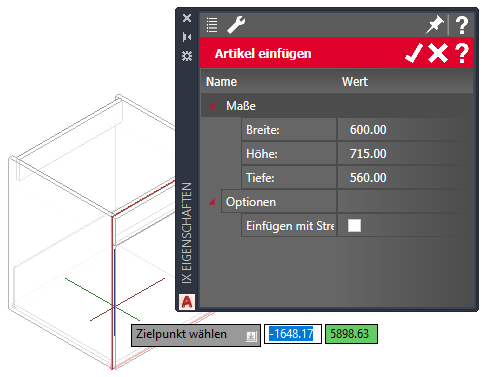
Click on the ‘Insert Options’ button in order to define the article dimensions in the properties palette. If you also activate the ‘Insert with stretches’ check box, you will in turn switch to stretch mode.
In iX CAD, this dialog has additional selection boxes for changing relevant article variables.
May 2020 | iX 2019 SR 2
#01269