
iBot for splitting and generating production orders
The splitting, creation and distribution of production orders often follows a recurring pattern. For example, each part may be assigned to subcontractors according to its material - so a shelf made of glass will be produced at a different location than a veneer front panel.
Together, the output batch function "Schedule for order separation" combined with the iBot "Create production order" allow for a separation using the Integration Server. If parts fit no pattern, the iBot collects them in a separate production order.
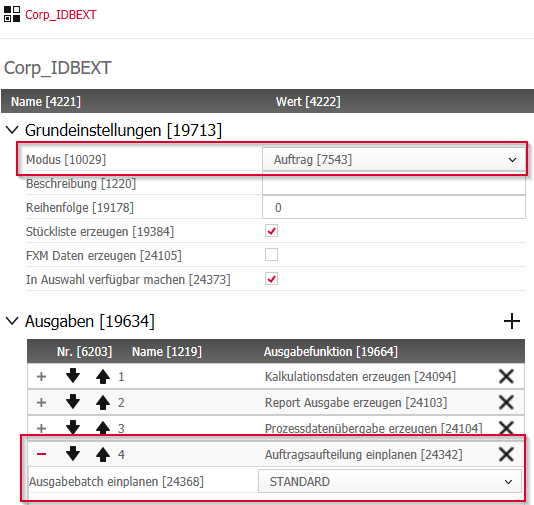
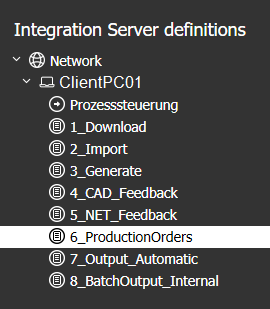
The output batch mode "Order" offers the new function "Schedule for order separation".After the jobs for Download, Import, Working and Status Feedback are completed, the iBot "Create production order" polls the status that the "Schedule for order separation" function has set.
In the iBot, you define the rules for assigning parts to suppliers.
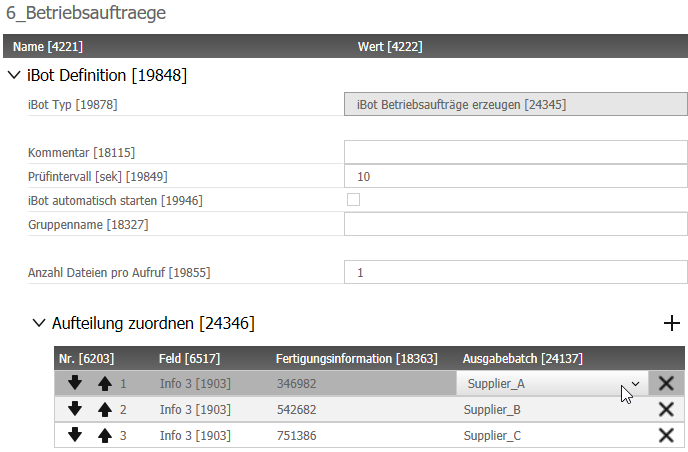
With the "+" button you add assignments.
The attributes for filtering are
- the IDENTInfo fields 1 to 4 and
- the correspondingmanufacturing information.
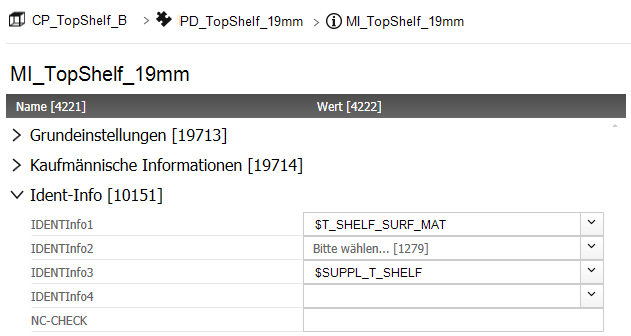
In the given example (see images), we want to filter for the Supplier No. that we defined as a Material variable in the IDENTInfo 3 field of the Manufacturing Information of the parts.
Accordingly, Info 3 is selected in the Field column and a Supplier No. is selected in the Manufacturing Information column (the selection list contains all suppliers that are managed as principles in the Element Manager).
Note: In iX 2019 SR2, the Supplier principle has been integrated in the Element Manager; It is no longer maintained in the Administration Center that is outdated.
So, when the number in the column Field matches the number in the column Manufacturing Information, the part will be assigned to that Supplier.
In the third column, you assign an output batch that fits the supplier's requirements. In effect, only data that is relevant for the supplier is generated for each production order.
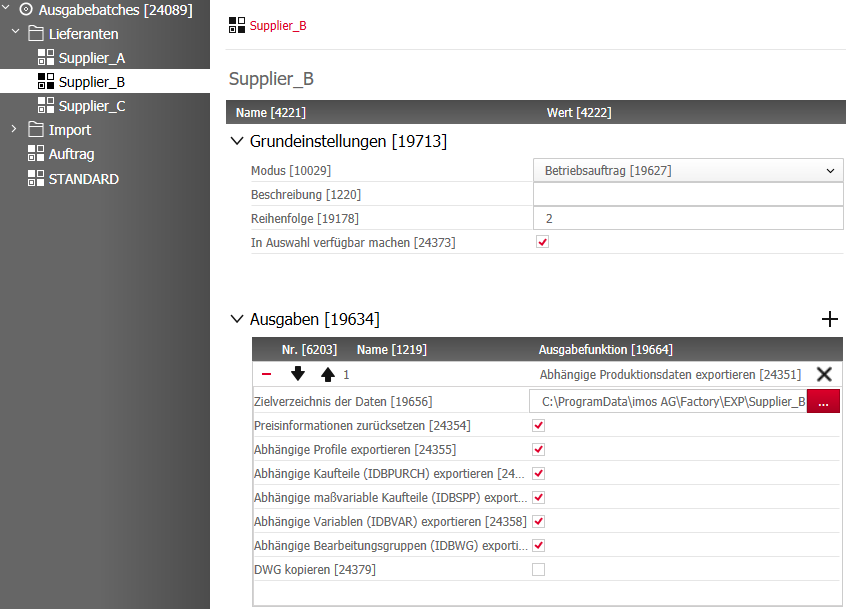
As soon as the order separation is completed and the different production orders are created, the iBot "Automatic batch output" can execute all supplier specific output batches. After completion, the generated output data is available in ZIP files in the individual target directories; for example, on an FTP server where it can be downloaded directly by a supplier. For the automatic import of the files you can use the refined "iBot Import internal"
Related Topics:
- Advancement of the iBot PlanLink Import to Internal Import
- The output batch function "Schedule for order separation"
- Enabling specific outputs via iBot Automatic output
- New principle "Supplier" in the Element Manager
Key words: integration server separate split splitting group grouping sub-contractor isolate
Feb 2021 | Version iX 2019 SR2, 14.0.2.203
#01367