
New Principle Variable List
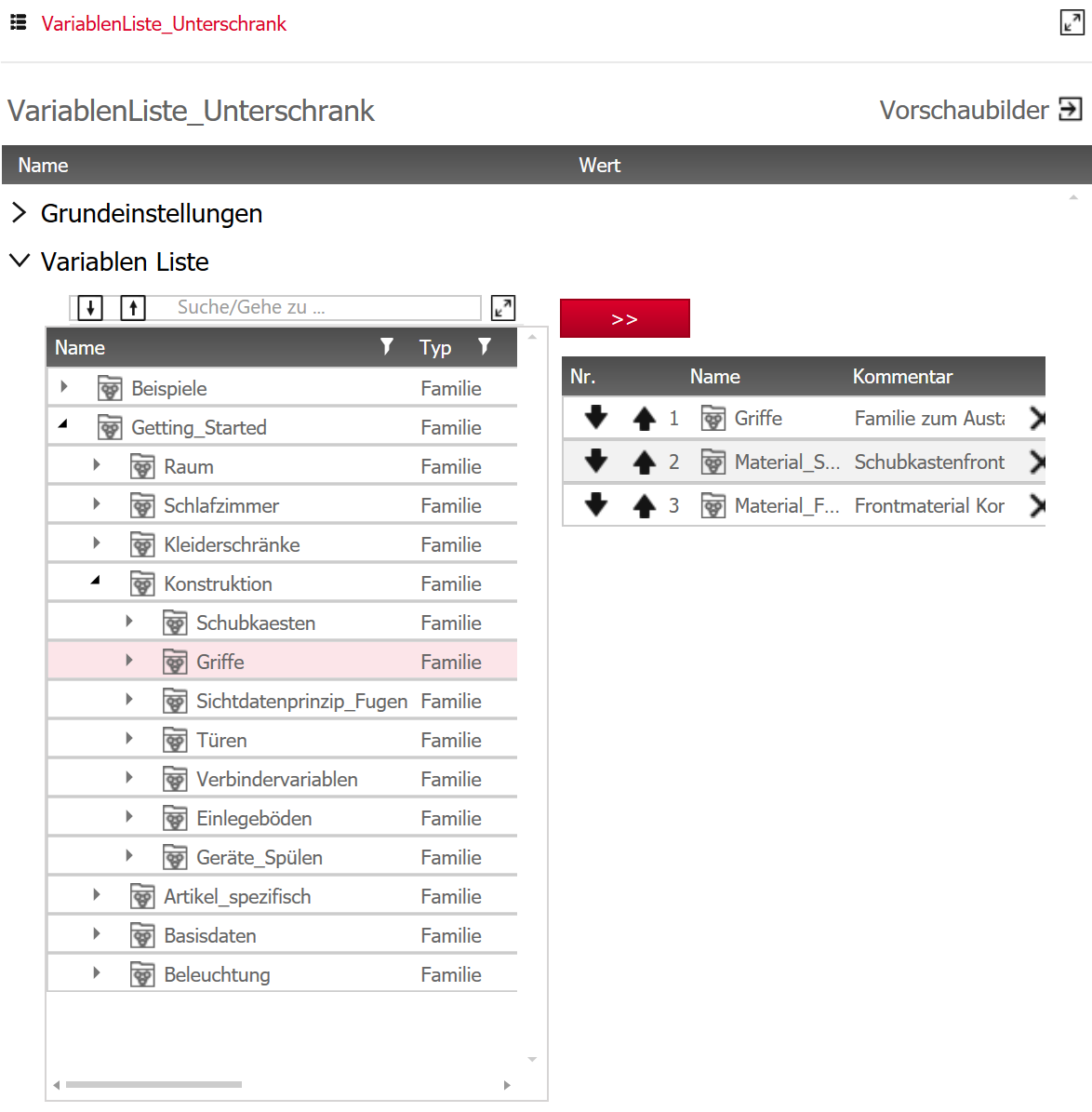
The variable list is a new principle in the Element Manager’s General Rules category. In the principle, you specify variables that can typically be applied to one or more articles.
The principle’s interface is divided into two columns:
On the left side, you can select one or more of the saved variables or variable families from a tree structure. Click on the red execute button to adopt the selection. The selections will then be listed in the right-hand column, in the same sequence you selected them in. The list size is limited to 10 items.
You can change the position of the selection retroactively by using the arrow buttons to the left of every line. Clicking on the cross on the right deletes the line in question.
Save the principle.
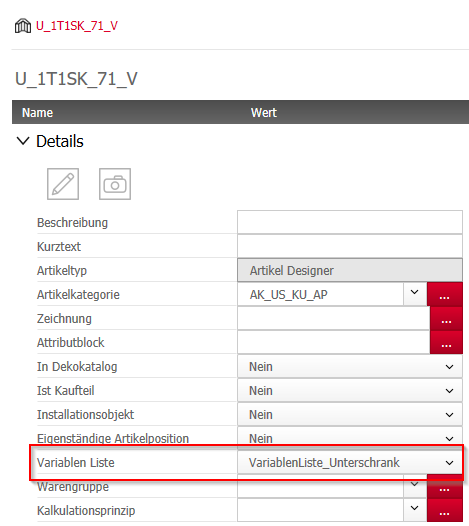
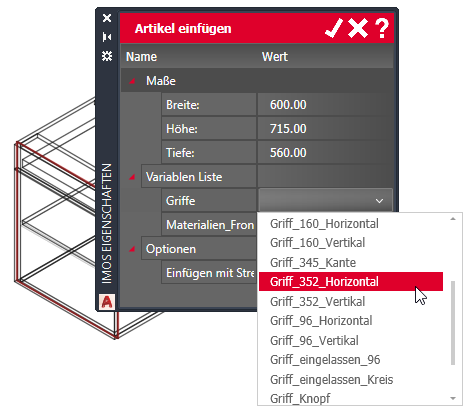
If you assign the principle to an article, you can make direct changes to the article-related variables in the list in the iXplorer Insert Options when inserting, copying or moving the article.
Note: The program will not interpret any variables that cannot be applied to the article. In addition, you must make sure that values are assigned in the selected variables.
Jan 2020 | iX2019 SR2
#01216