
Dimension an article with face frames on multiple sides
Question
A kitchen island has face frames on both article sides.How can I apply dimensioning for all the face frames in one DocMan principle?
The Viewport option
- Object level: Article
- Function: Dimension face frame
interprets only the front face frame.
Answer
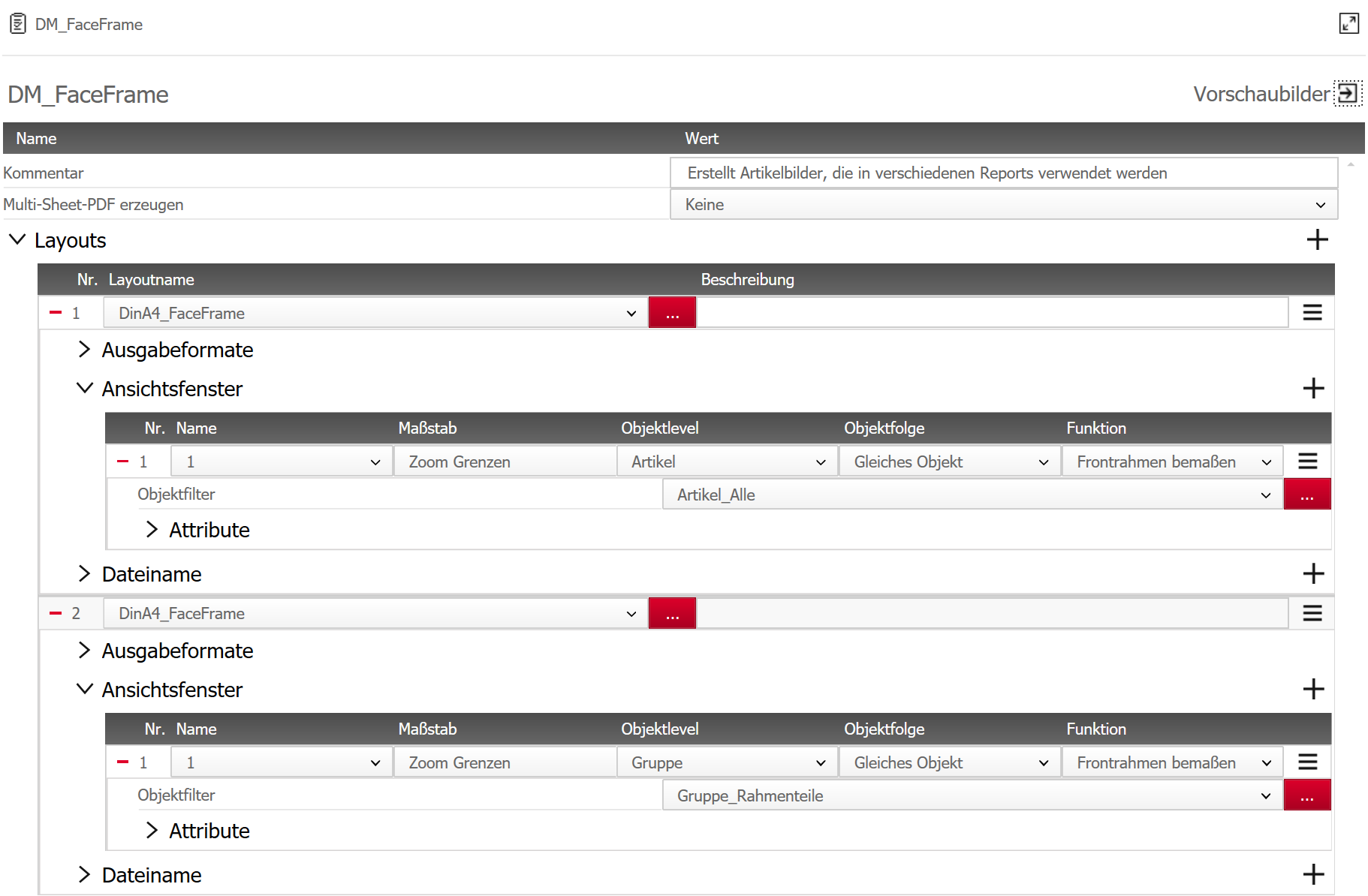
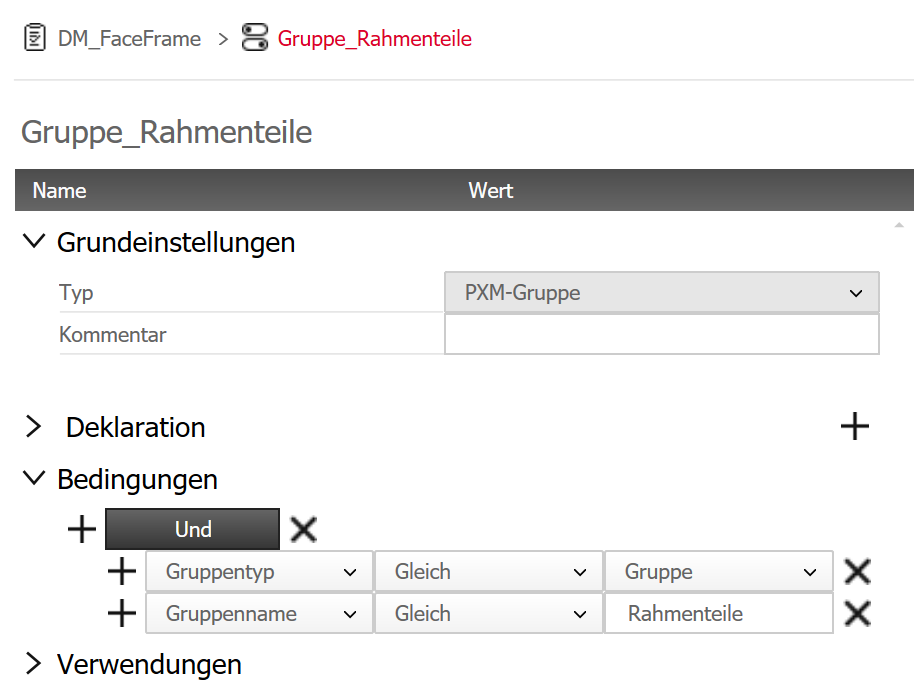
Specifically for this case, we added the function on object level "Sub-assembly".In the field Object filter, add a Condition filtering sub-assemblies names that contain "face frame".This will include all face frames in one DocMan principle.
Example
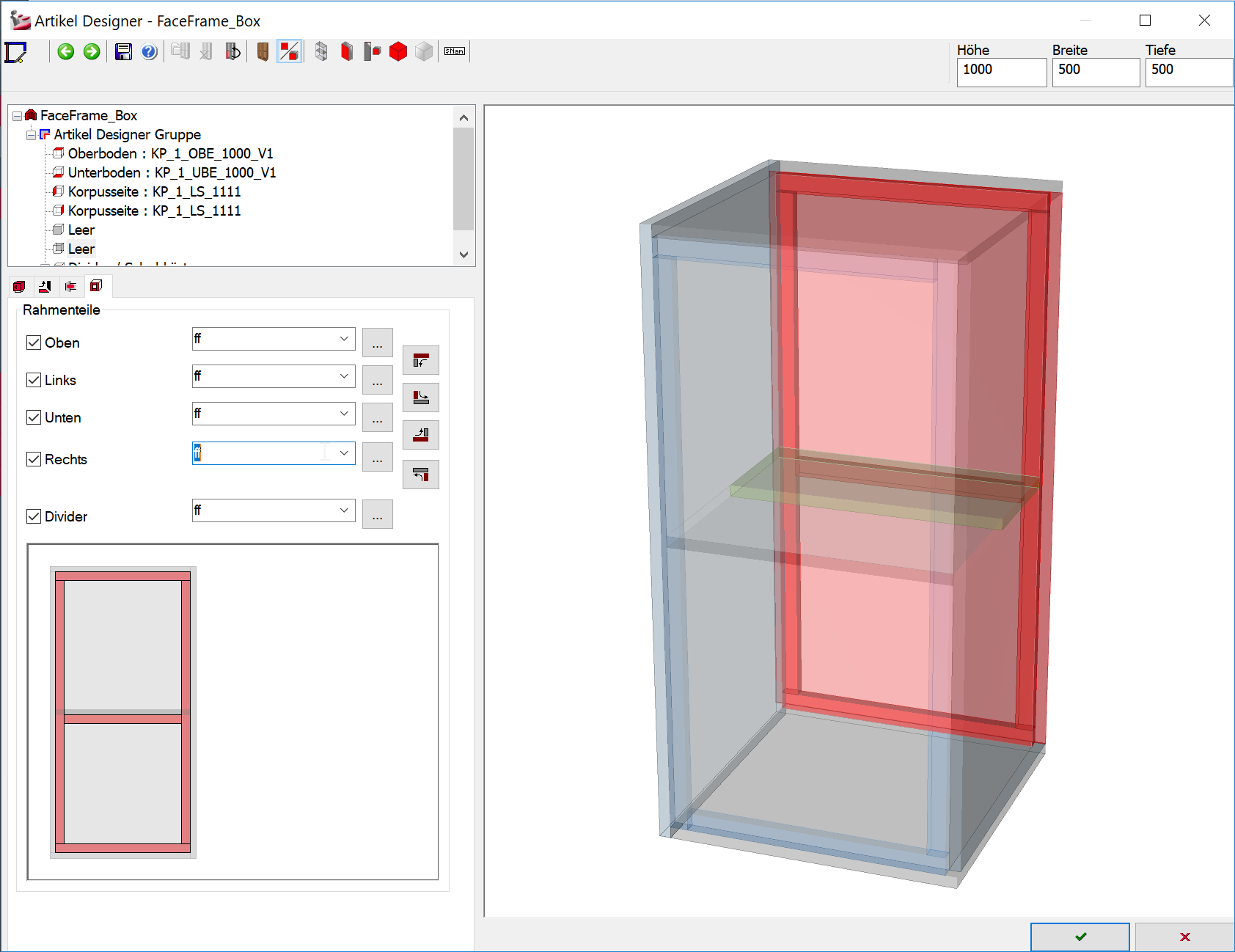
Rack with different face frames at the front and at the back:
DocMan principle with Standard settings for face frames at the front (Viewport 1) and the settings for dimensioning all face frames (Viewport 2):
Condition used:
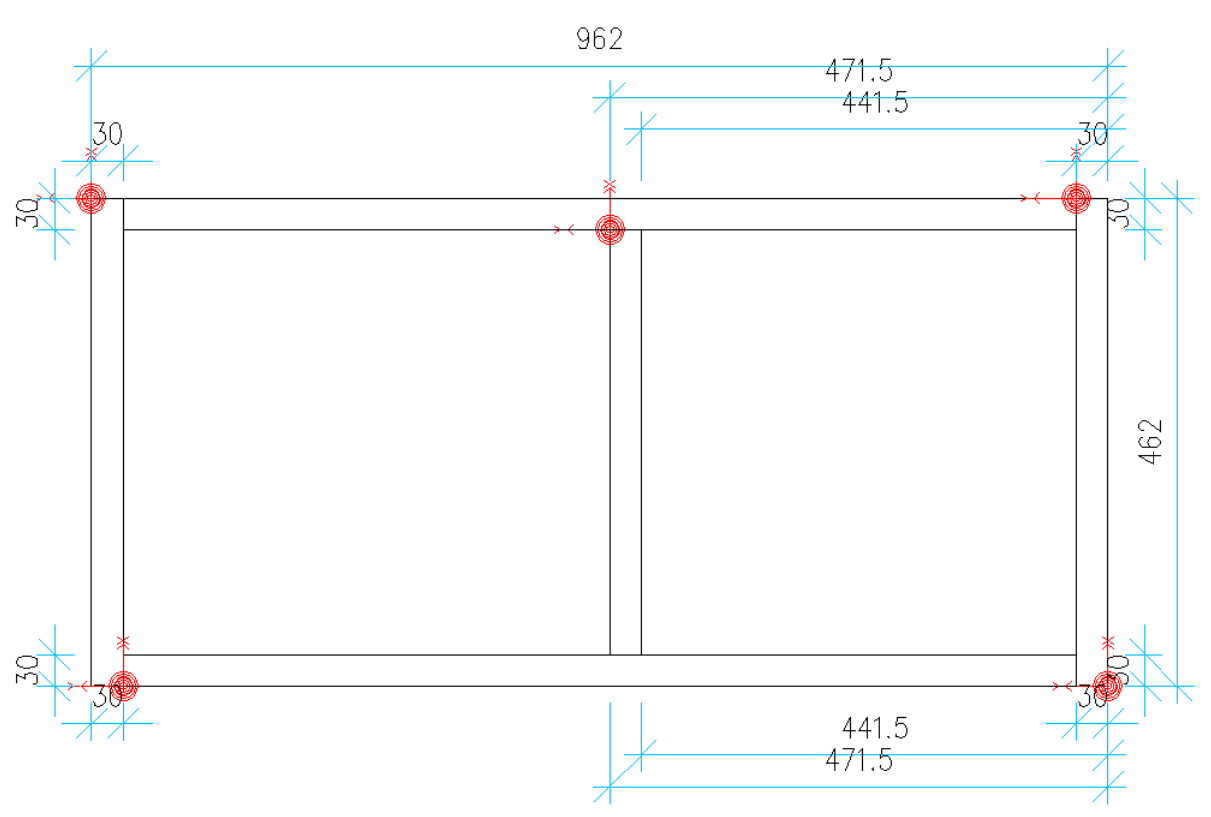
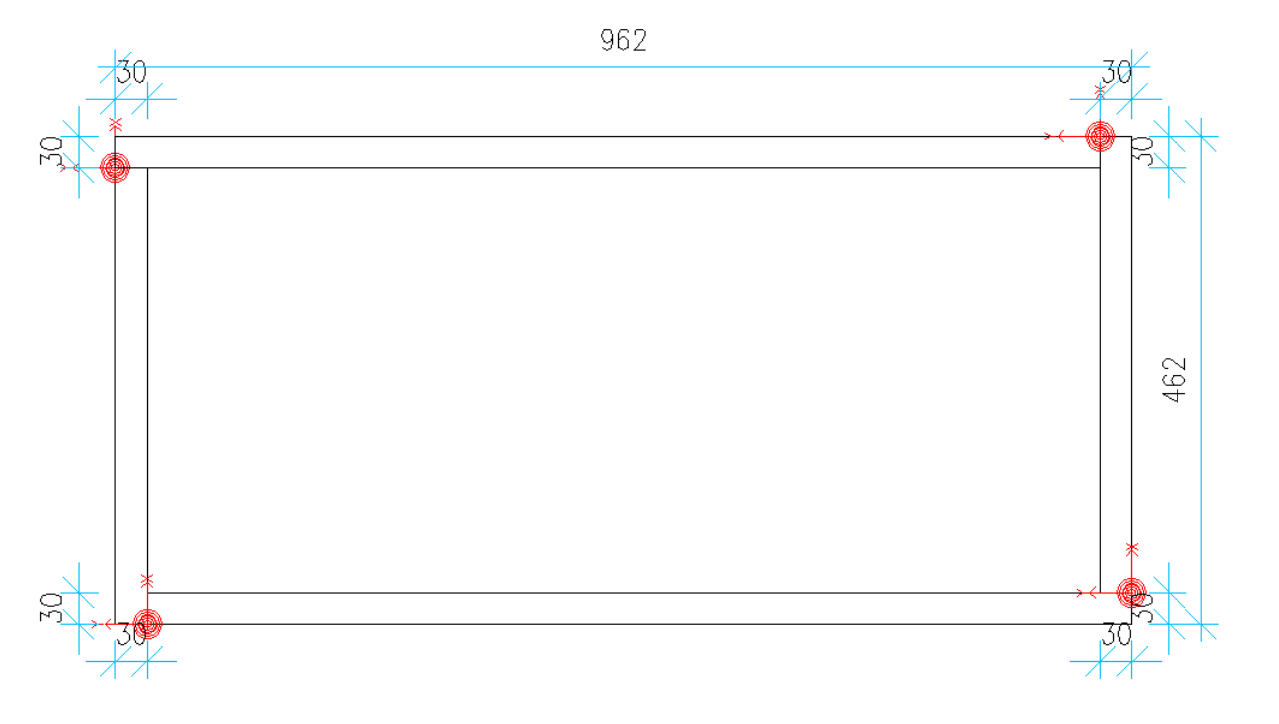
Result:
Keywords: view dimensioning
Oct 2019 | iX 2019 ab 14.6.00.185, 14.0.01.06; iX 2017 ab 13.0.02.186
#01202