
Annotating connectors
As of iX 2021 SR2, the drawing output in CAD supports the annotation of connectors. For the data setup you define which connectors are to be annotated specifically, for example only drawer rails.
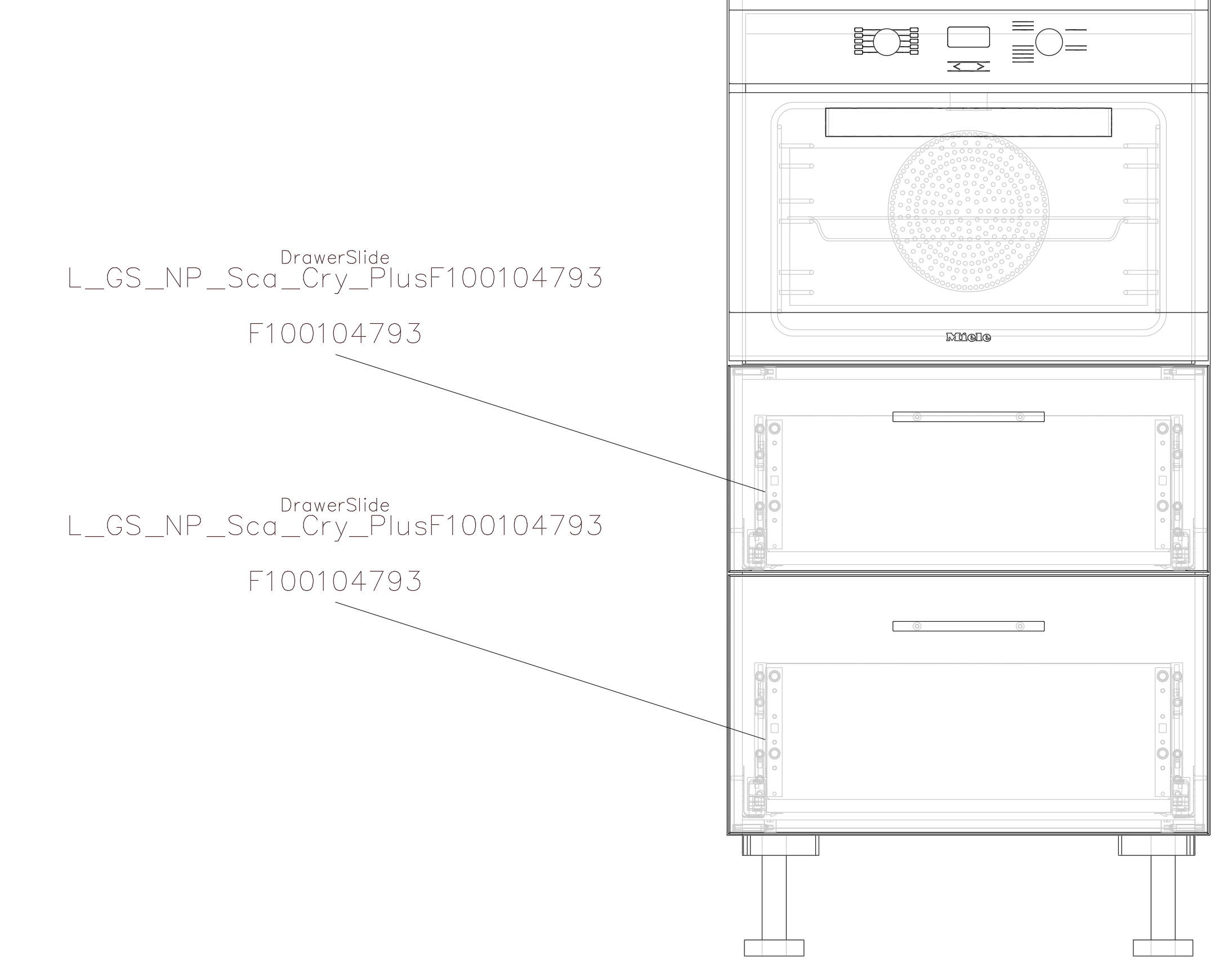
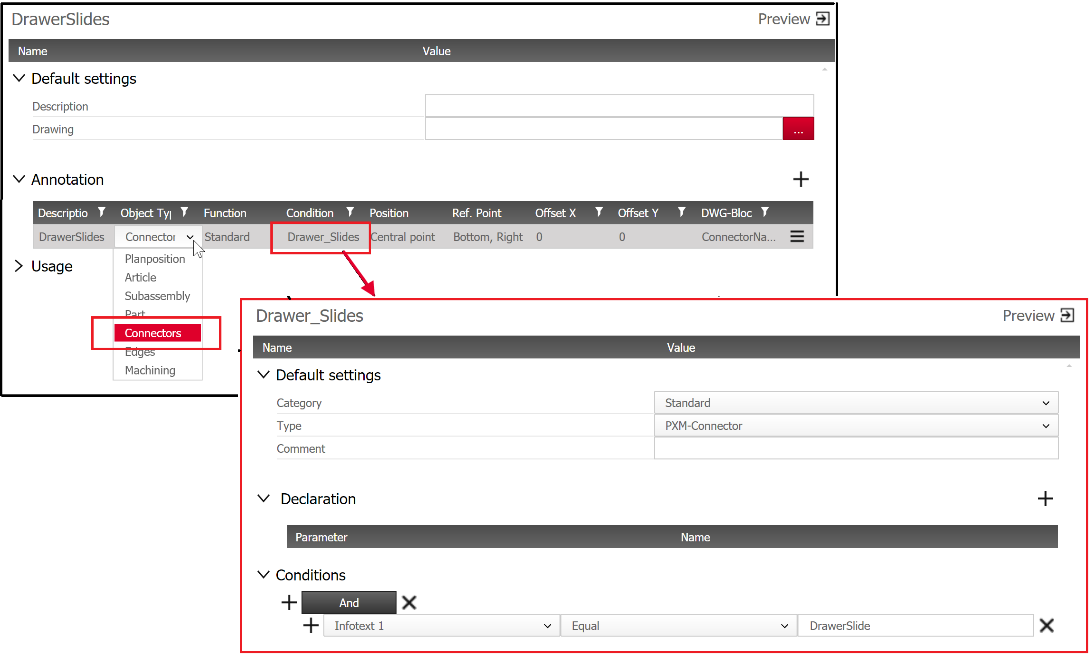
For this purpose, the Annotation and Condition principles have been enhanced as follows:
- New option "Connector" in Principle Annotation>Section Annotation>Field "Object type"
- New option "PXM Connector" in Principle Condition>Section Default settings >Field "Type"
This allows objects of the type connector be specifically filtered and annotated.
Tips:
- Information on how to insert attributes for connector annotations in a DWG block is available in the imos knowledge topic Insert an attribute for connector annotations in a DWG block.
- You can download a sample annotation block here: ConnectorInfo.dwg.