
Part Dimensioning: Indexing of machinings and edges
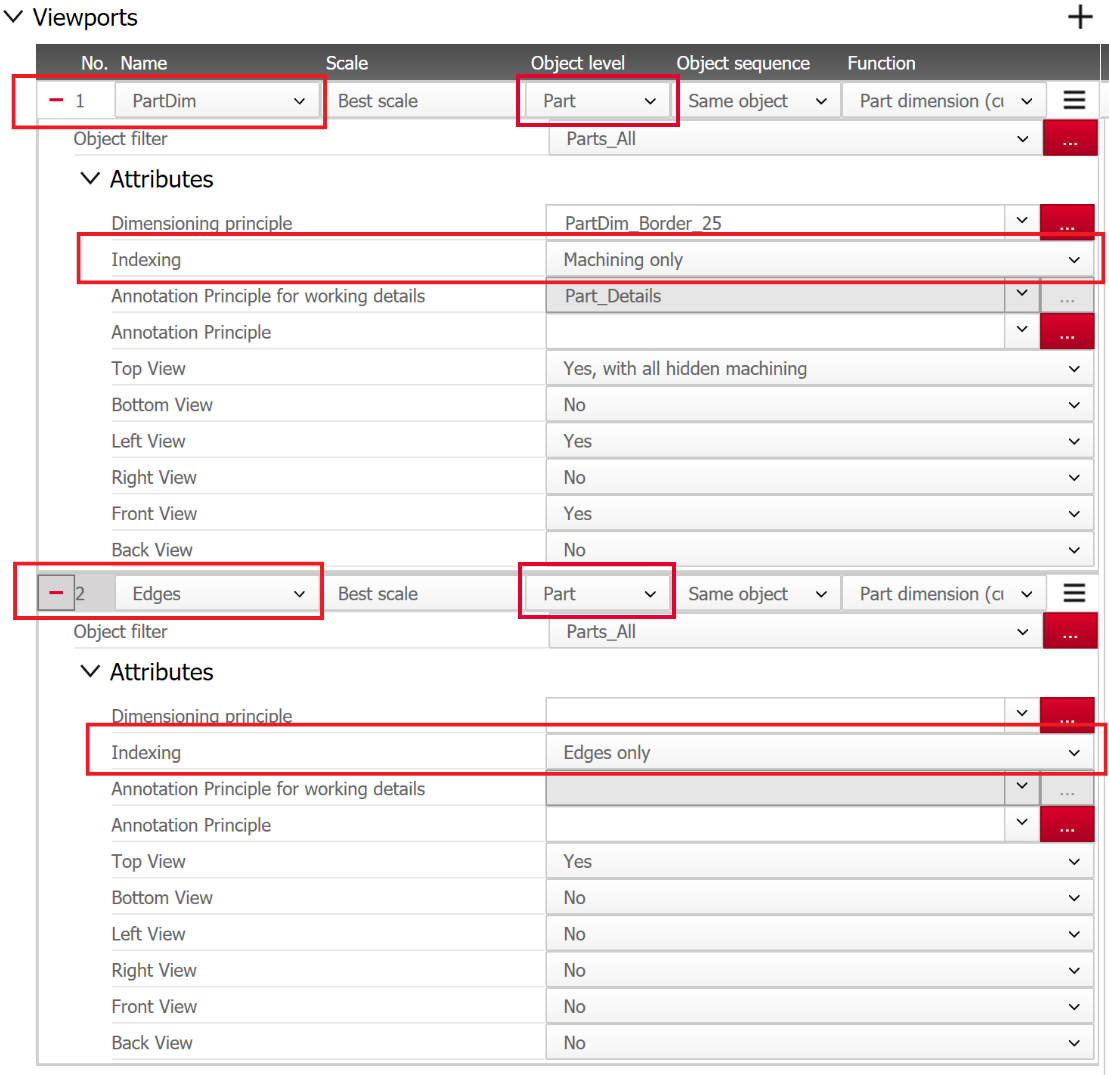
In order to be able to set the indexing of machinings and edges in the Document Manager Viewports independently of one another, the Document Manager principle has been refined.
In a Viewport with Object level=Part, the following options are now available for the attribute Indexing:
- Yes: Index all
- No: Index nothing.
- Edges only: Index edges only
- Machinings only: Index machinings only
In this way, you can reduce the output to relevant content and avoid overlapping of edge information with dimension lines or text.
Tip: New imos DCO package "Output Document Manager Version 3.0" available in iFurn DataBroker.
Example: Settings for Viewports in a Document Manager principle
Result: A drawing border (layout) with a large viewport that only displays the part dimensioning with indexing of the machinings, and a small viewport that only contains the display and indexing of the edges.
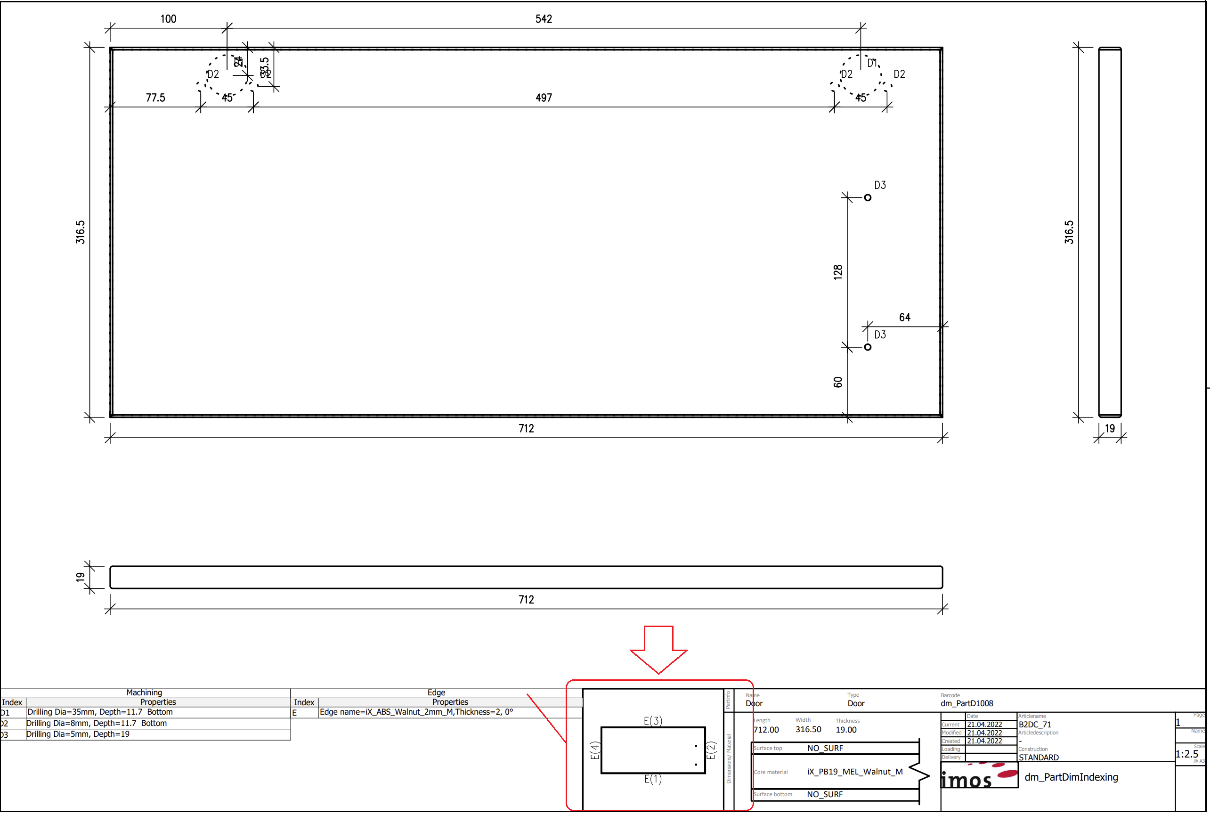
Detail: Separate edit and edge indexes (left) with edge index viewport (right)
