
Index/ Annotate part
Access
Ribbon : Drawing Views > 2D Drawing Views > Index part
General Information
Additional information can also be output for the parts of a section drawing.
After calling the function article annotation, the cut which the information should be output must be selected first.
Then the corresponding abbreviation must be entered in the command line.
The part annotation will be indexed and listed in the table.
Options
| Information | imos Information |
| identinfo 1-4 |
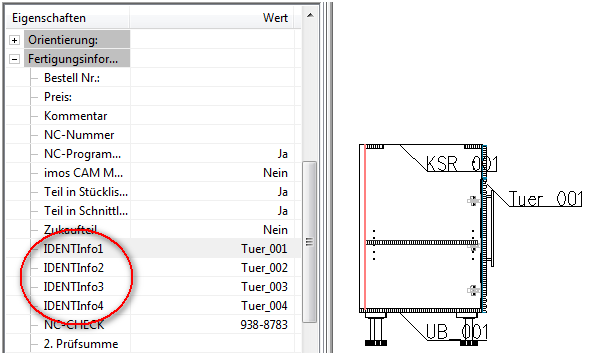
|
| N c-check |
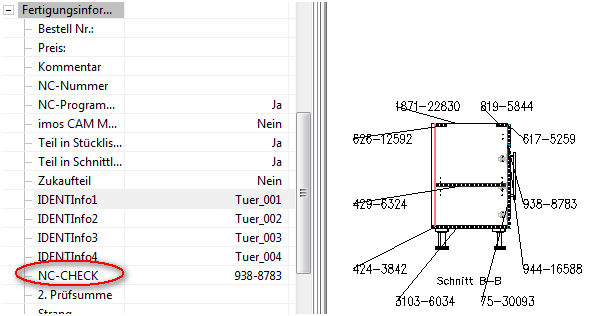
|
| I nformation block |
A block can be selected to output the corresponding information of the part. By default the Bauteilinfo_att.dwg is used.
To suppress leader lines for the labeling, you have to setup an attribute in the attribute block with the name imosNOLEADER. |
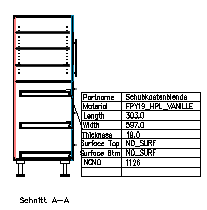

The dimension style IMOS_DIM_LEADER is automatically set for the labeling.
If Yes is selected for "Draw the annotations around the border of the view", a virtual frame is placed around the section drawing and the labeling ins placed there.