
Save/ Load dialog
The user interface of the Order Manager dialog box is now integrated in the design of the Organizer:
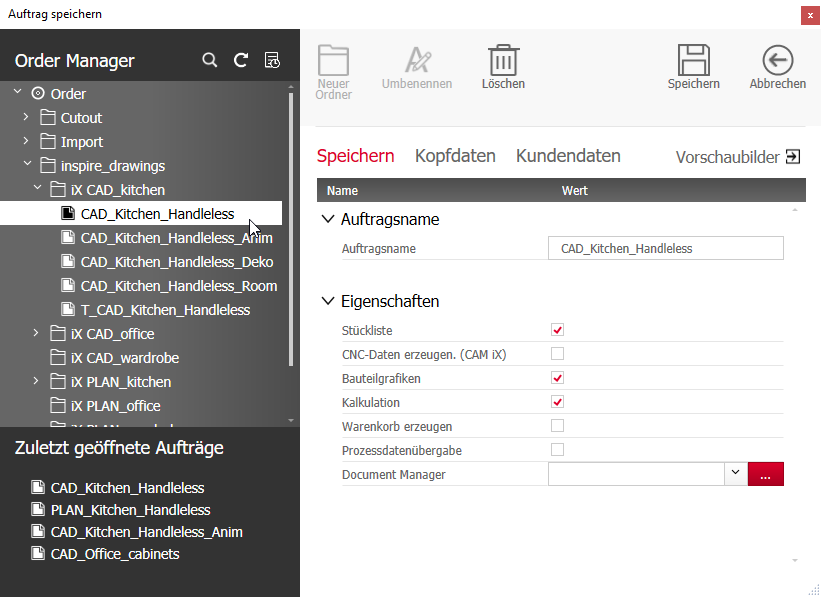
The order tree and the last opened orders are displayed in the column on the left.
To search for orders, enter a search term into the text box that opens when you click on Search .
To update the tree click Refresh tree  .
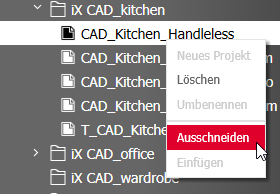
Right-click a project or a folder to open the shortcut menu, which contains options to manage the tree structure.
The right side of the screen contains the order properties. In the old dialog they could be found in the nodes Head Data, Color Information and Order information. In the new dialog, the properties can be found in the tabs Save, Header data and Customer data.
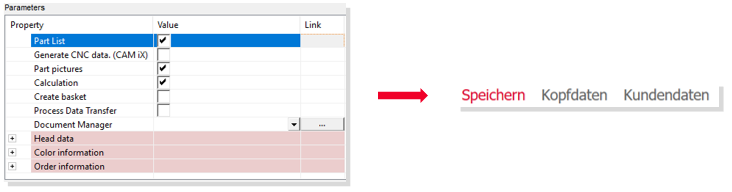
The head data now contains the color and order information.
It is possible to directly adapt this information (e.g., discount, email address and so forth) on the Customer data tab.
The functions Rename, Delete, Save and Cancel are arranged on the top right in the ribbon menu.