Cutting pattern part generation extended
In iX 2023, the cutting pattern part generation has been extended for user support.
As a reminder, in a cutting pattern part, you can arrange multiple parts that have the same material.The cutting panel formats are referenced from the Material principle, in which you define the panel formats that are in stock.
The enhancements are described in the following chapters.
Tip: Make sure that the Show cutting pattern part checkbox is checked in the Visu Manager.Otherwise, you will not be able to see the cutting pattern part in the drawing area.
Note: Nesting using Direct Nest is no longer part of the function for generating cutting pattern parts.Direct Nest will be replaced by iX CAM Nesting in iX 2023.CAM Nesting is performed during CAM data generation.
Applying the function to elements that are already selected
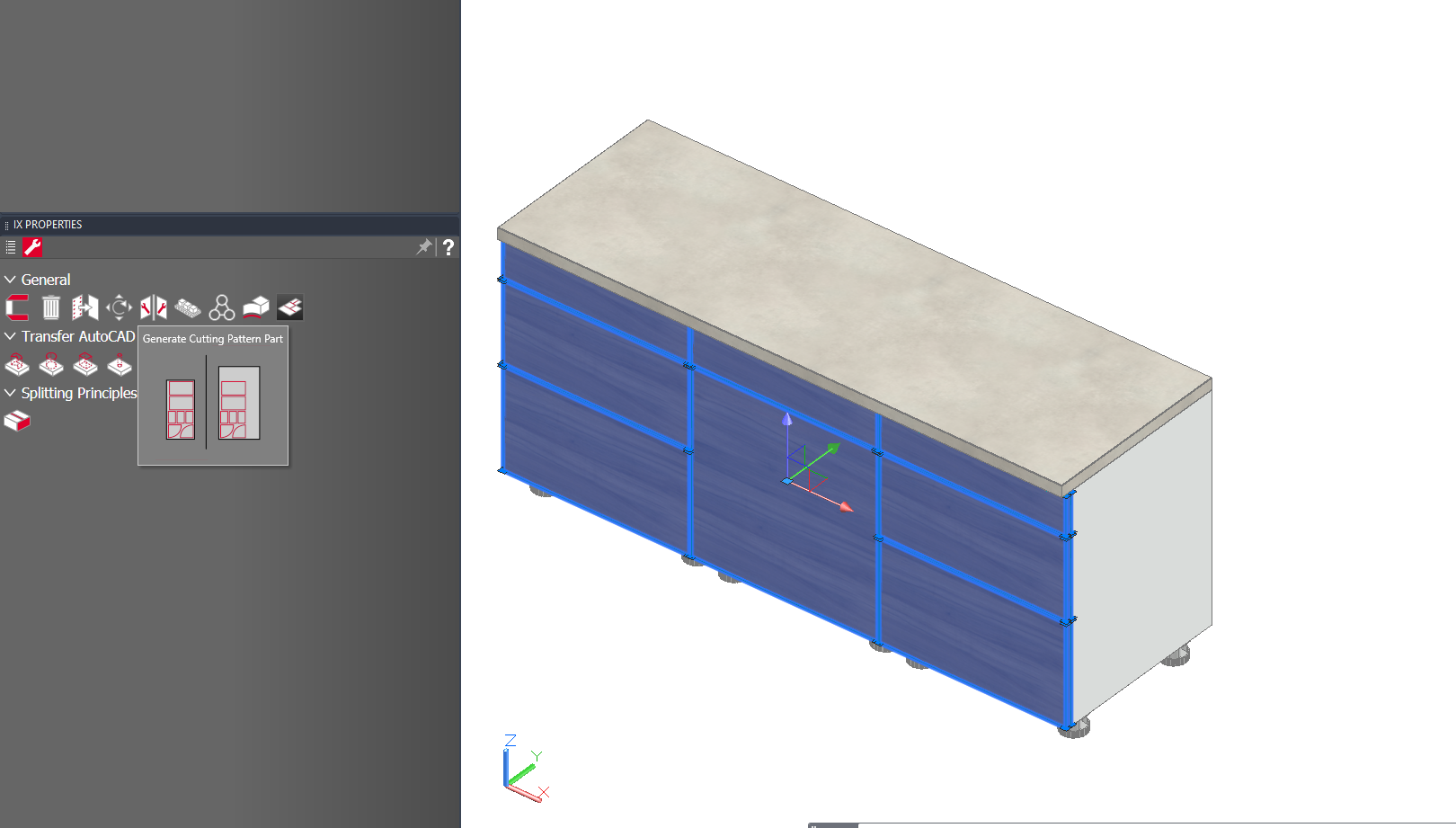
Parts that you have already selected before you call the Generate cutting pattern part function are now taken into account by the function instead of discarding them.
Tip: It is recommended to select the parts first, as you cannot use the CAD orbit to navigate while the function is active.
Front definition as a cutting pattern part
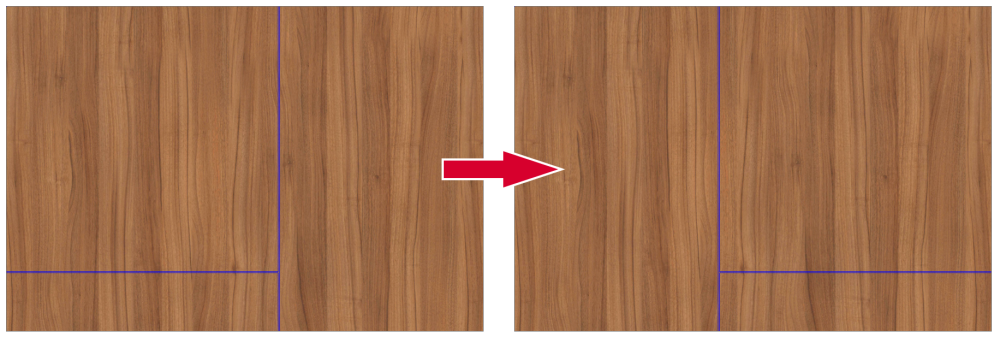
With the new Keep front position option, front parts are arranged on the cutting pattern part according to the front definition ("front unfolding").That is, their position in relation to each other is not changed.Turn on the option for front definitions, where you want the grain to give a seamless image.
Tip: Use the iXplorer filter to isolate the parts that should be in a seamless front image.
Note: In the case of very nested front images, you may have to check and rework the cutting pattern part.
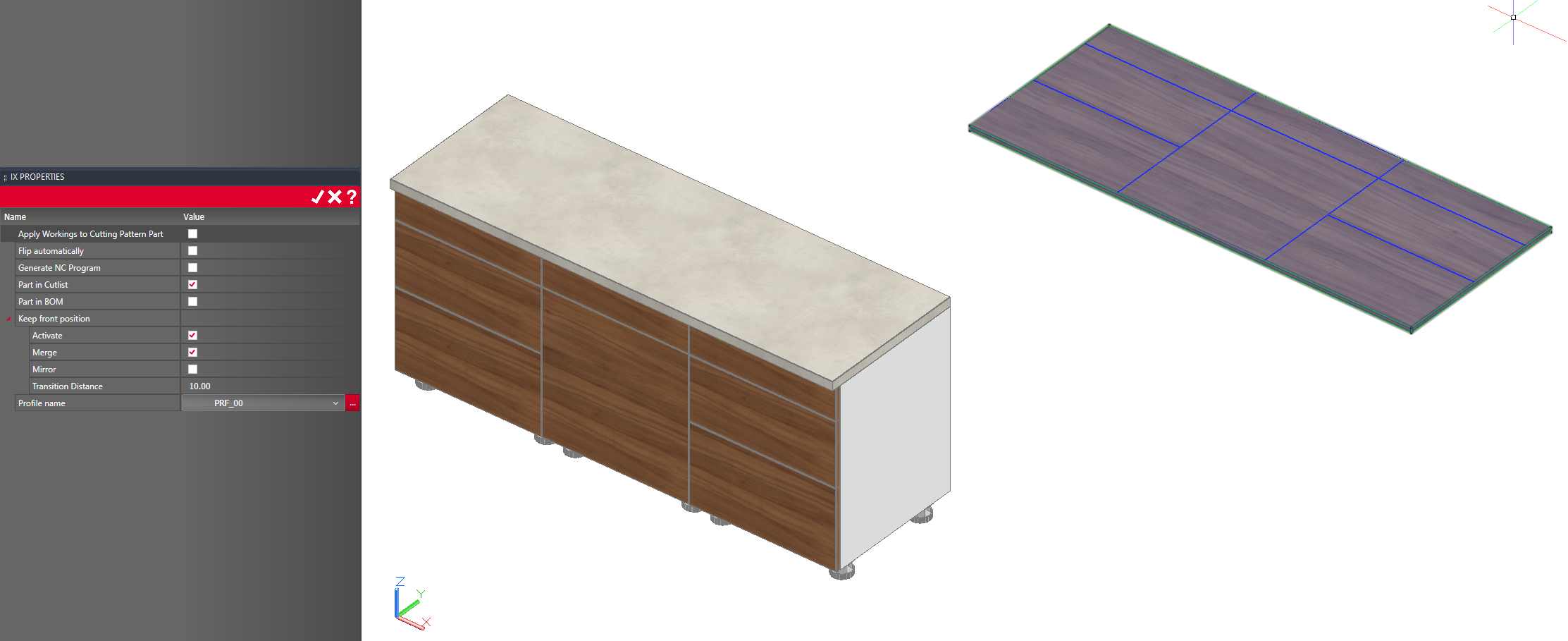
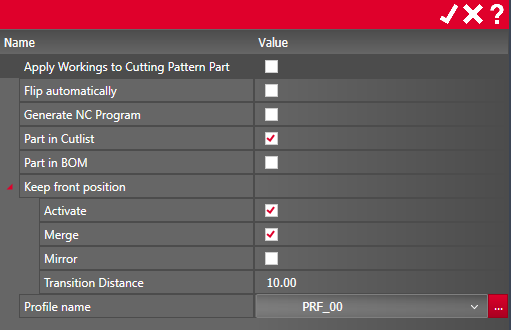
You can make the following settings on a cutting pattern part with front definition:
| Option | Description |
|---|---|
| Merge | Merge parts, that would be placed in separate cutting pattern parts due to their position, into one cutting pattern part, for example the fronts of a corner cabinet. |
| Mirror |
Align the cutting pattern part in CAD by mirroring it.
|
| Transition distance | Available when Merge is ticked.Changes the distance between the merged parts. |
| Cutting material |
Select a panel format of your choice.In the list you will find the formats that are defined in the corresponding Material principle. Prerequisite: The selected parts use the same material. |