
Check part dimensions against available panel dimensions
In iX CAD 2023, a check of the part dimensions against the panel dimensions, that are defined for the core material, was implemented.
In this way, the user can check whether one or more parts appear in a planning that have a length and width for which the core material stored in the master data is too small.
Note: The check does not correspond to a "warehouse management tool". A successful check in imos iX therefore does not mean that the core material stored in the master data is actually available for production. Furthermore, no waste optimization is carried out during the check.
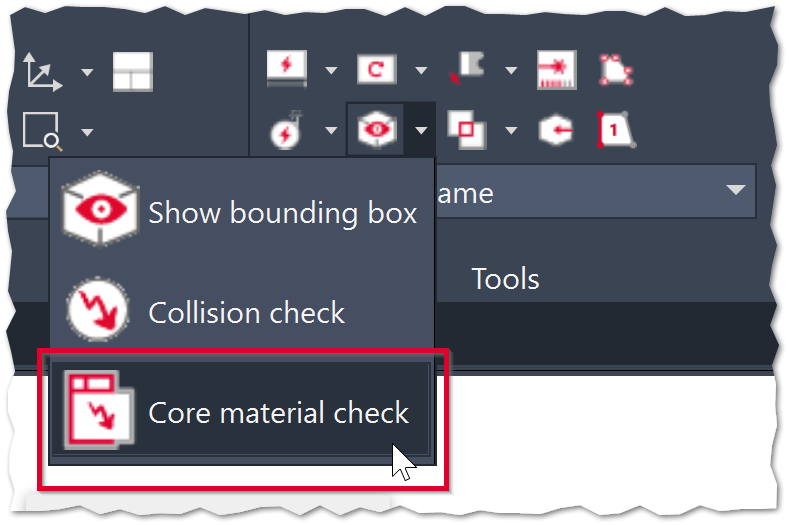
You can find the Core material check function in the Tools group of the ribbon menu.
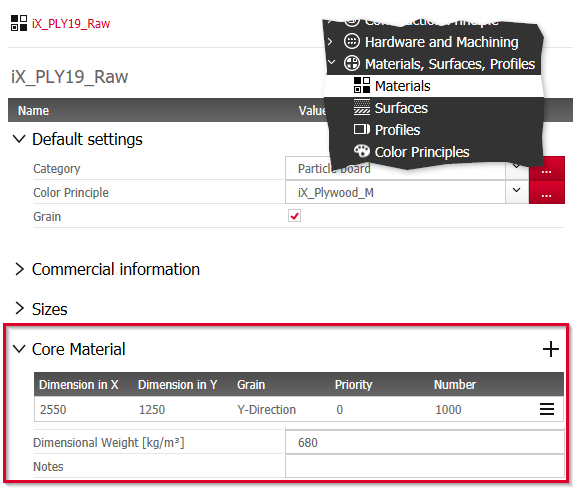
The check obtains the panel dimensions against which the check is to be carried out from the Material principle assigned in the Part definition.
Section Core material with a panel dimension in the Material principle:
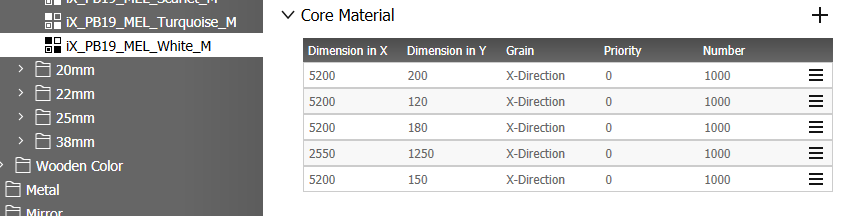
Material principle with several available panel dimensions:
Procedure
Prerequisite: Panel dimensions that are theoretically available in manufacturing are defined in the Material principles against which you want to check.
- Go to Designer tab> Tools group.
-
Click on Core material check. imos iX checks the cutting dimensions of all parts in the order against the panel dimensions in corresponding Material principles.
Note: The function does not check against Material principles where no panel dimension is defined.- When suitable panel dimensions have been found, the function is complete.You do not have to do anything else.
-
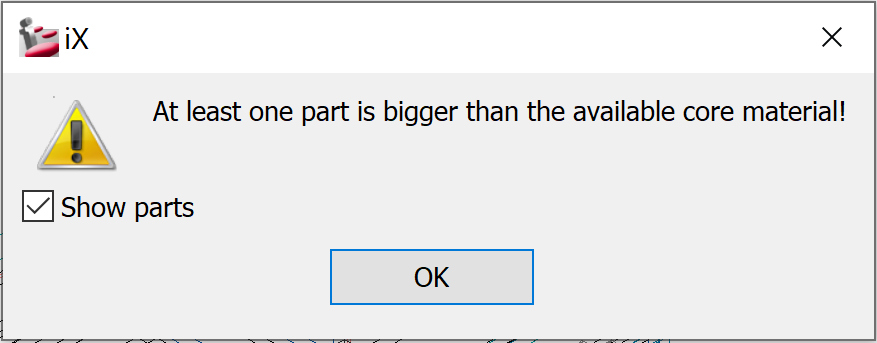
If matching panel dimensions are not found, an error message is displayed.Go to the next step.
-
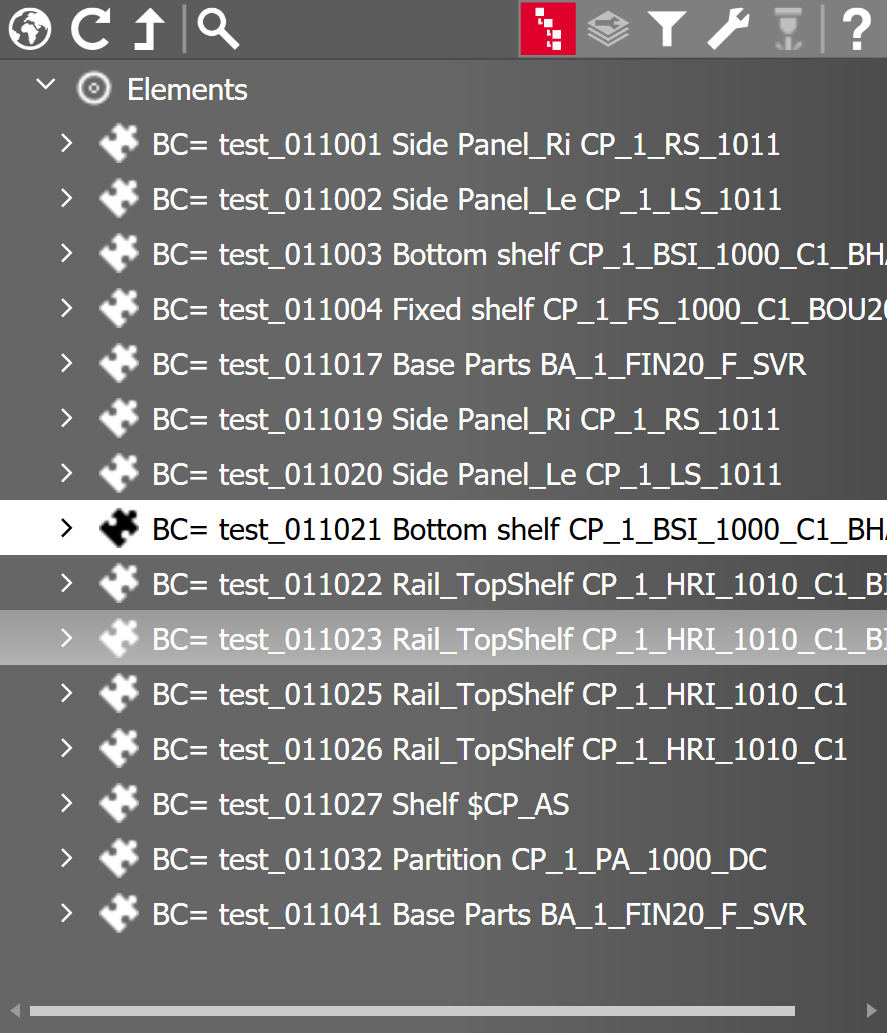
Tick the checkbox Show parts and click Ok. Parts for which no suitable panel dimensions were found are displayed in the iXplorer element tree. You can use the Properties palette to jump to the respective part definition and the Material principle.
Checking mechanism
The checking mechanism is described in more detail below.
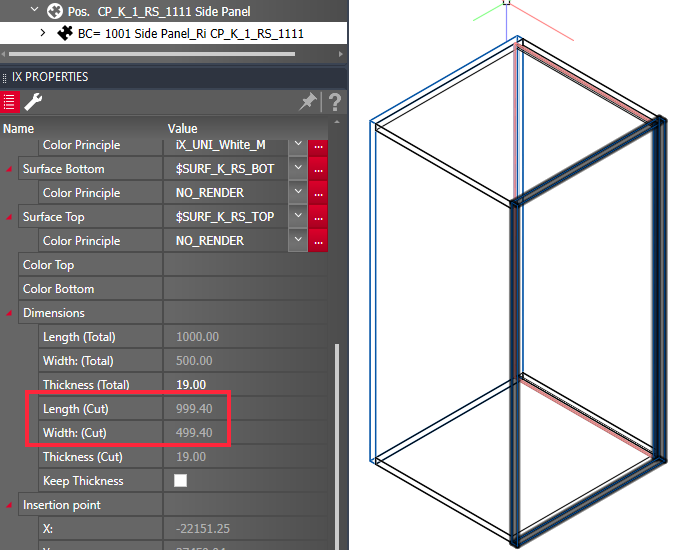
Part cutting dimensions
The check is carried out on the basis of the part cutting dimensions.
Grain direction
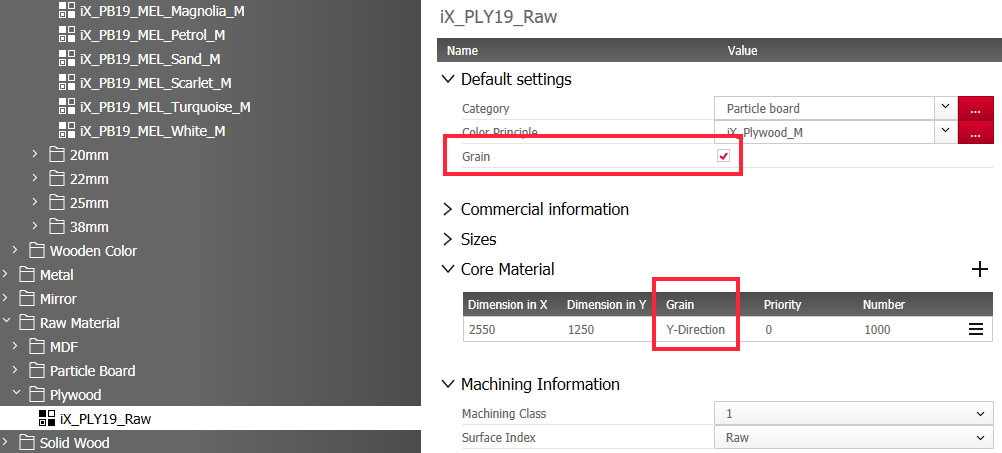
Another aspect of the check is the grain direction of the material.
If the material does not have a grain direction, the part can be cut from the stored core material in the X or Y direction.

If the material has a grain direction, the function takes the grain direction into account in the evaluation, provided that a coating of the part is only done after formatting or "NO_SURF" is used as a coating.
Surface before or after formatting
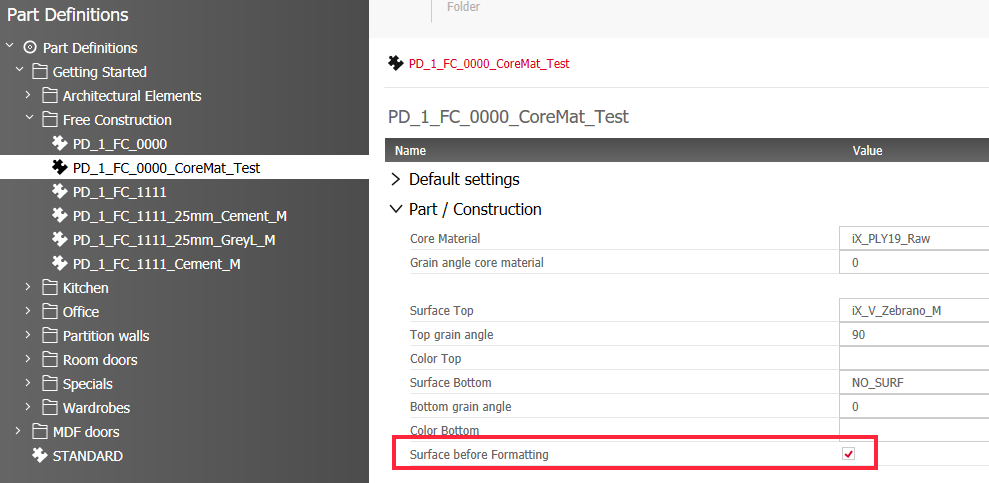
Depending on how the Surface before formatting switch is set in the Part definition, a possibly set grain direction of the material may or may not be taken into account during the check.
-
Surface before formatting = yes: A grain direction of the material, if any, does not play a role in the check. imos iX only checks whether a core material of sufficient size is stored in the master data for the part in the X or Y direction. imos iX assumes that any grain direction that may be present is covered by the surface.
Exception: An exception is the surface with the surface principle "NO_SURF". If this surface is used on a part, imos iX ignores this surface during the check and takes into account any grain direction of the material that may be entered.
- Surface before formatting = no: If this switch is not set in the part definition, a grain direction of the material, if any, is decisive for the check. imos iX then checks whether a core material of sufficient size is stored in the master data for the part, taking into account the grain direction.