Drawing contours in iX Organizer
Drawings in Contour Principles can now be created and managed entirely in iX Organizer
In the Elements section, a sandwich menu is available for this purpose in each segment row; it provides the following functions:
| New line | Adds a new row that contains settings for a line |
| New arc | Adds a new row that contains settings for an arc |
| Delete | Deletes the row and its segment settings |
The functions can be found in all Contour principles:
- Outside Contours
- Outline Geometries
- Inner contours
- Profile Geometries
- Cross-section Geometries
Tip: Expand the preview area to review the resulting drawing.
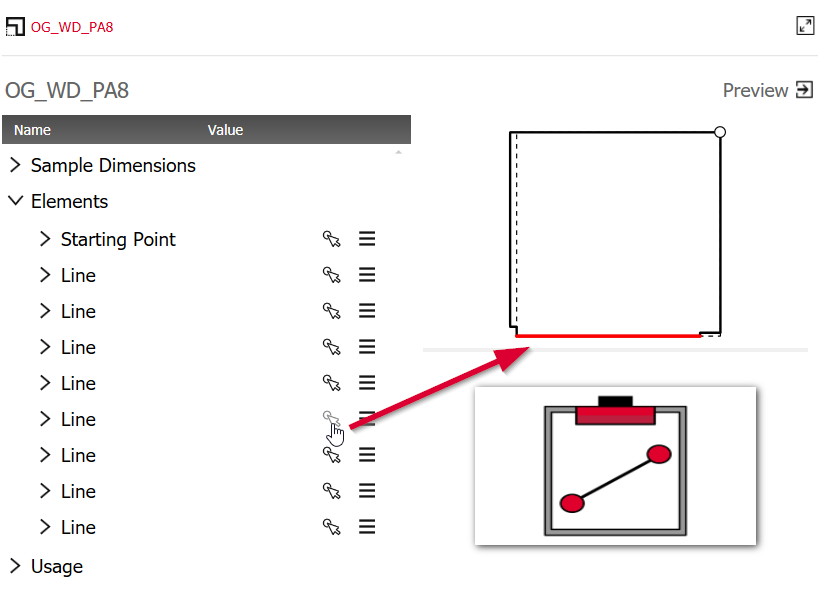
To highlight a segment in the preview without simultaneously opening the dropdown, you can use the "Select" button in the respective segment line.