
Individually select objects to be transferred to iX Scout*
Additional settings in iX CAD enable you to optimize performance and clarity in iX Scout*.
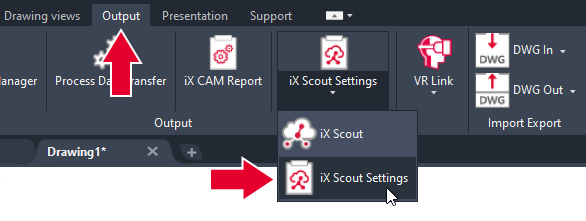
The iX Scout Settings button can be found on the Output tab of the ribbon.
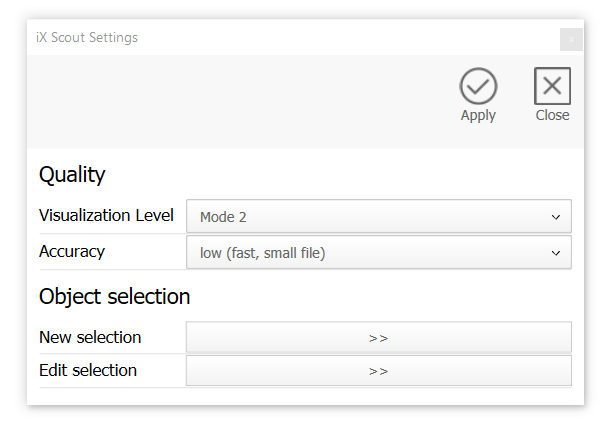
The following order-related settings are possible:
- Visualization level: Determines the level of detail and scope of the drawing, for example, with a low visualization level the connectors can be excluded.
- Accuracy: Determines the precision of arcs in the drawing.
- New selection: Select or deselect objects in the drawing area. Like this, order content that is not important for production and assembly can be excluded from the transfer to iX Scout.
- Edit selection: Subsequently change object selection.
Clicking Save (check mark) in the dialog saves the changes for the order.
Clicking on Close (cross) discards the changes
Note: These settings affect the file size and thus also the upload speed and performance in iX Scout.
Note: *Not part of the base installation.