Enhanced Joint Cuts for Worksurfaces
- Selecting cut suggestions is now safer
- Splitting contours can be automatically calculated based on master data → Creating or selecting Splitting principles is no longer required.
- Worksurface connectors are set automatically
Safer Selection of Cut Paths
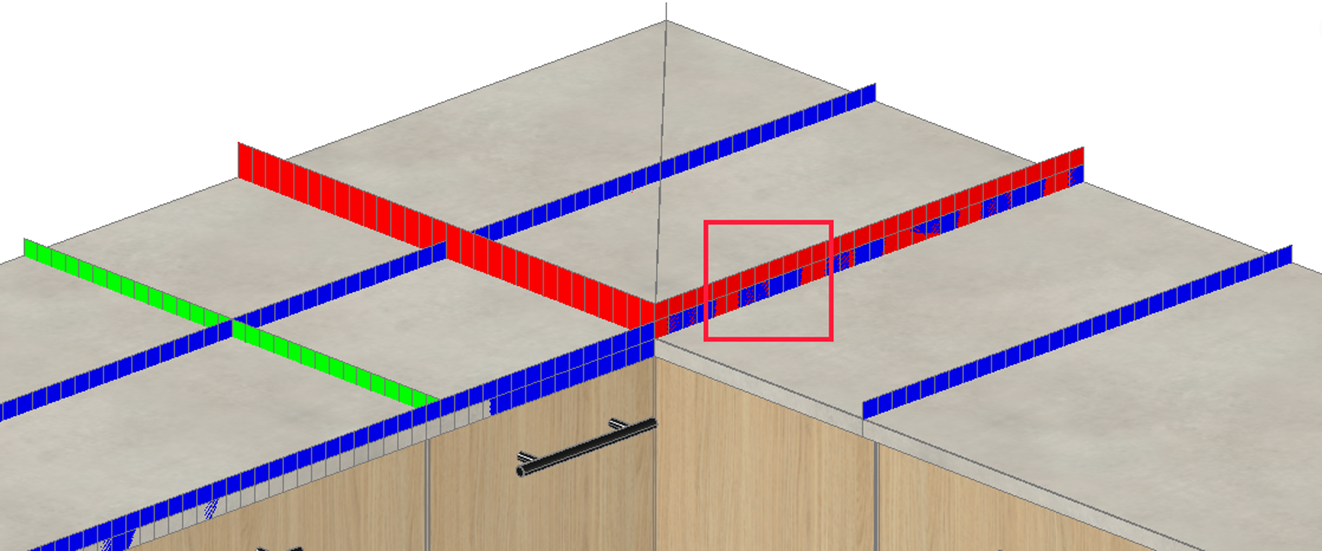
Suggestions for depth cuts and length cuts are displayed differently to make them easier to distinguish and select in case of overlaps: In addition to different coloring, length cuts are displayed taller compared to depth cuts.
Joint Parameters in Worksurface Principles
The design of joint cuts usually depends on the characteristics of the worksurface front edge (e.g., based on profile depth). With the new joint parameters in the Worksurface principles, it may be beneficial to create a separate principle for each front edge profile.
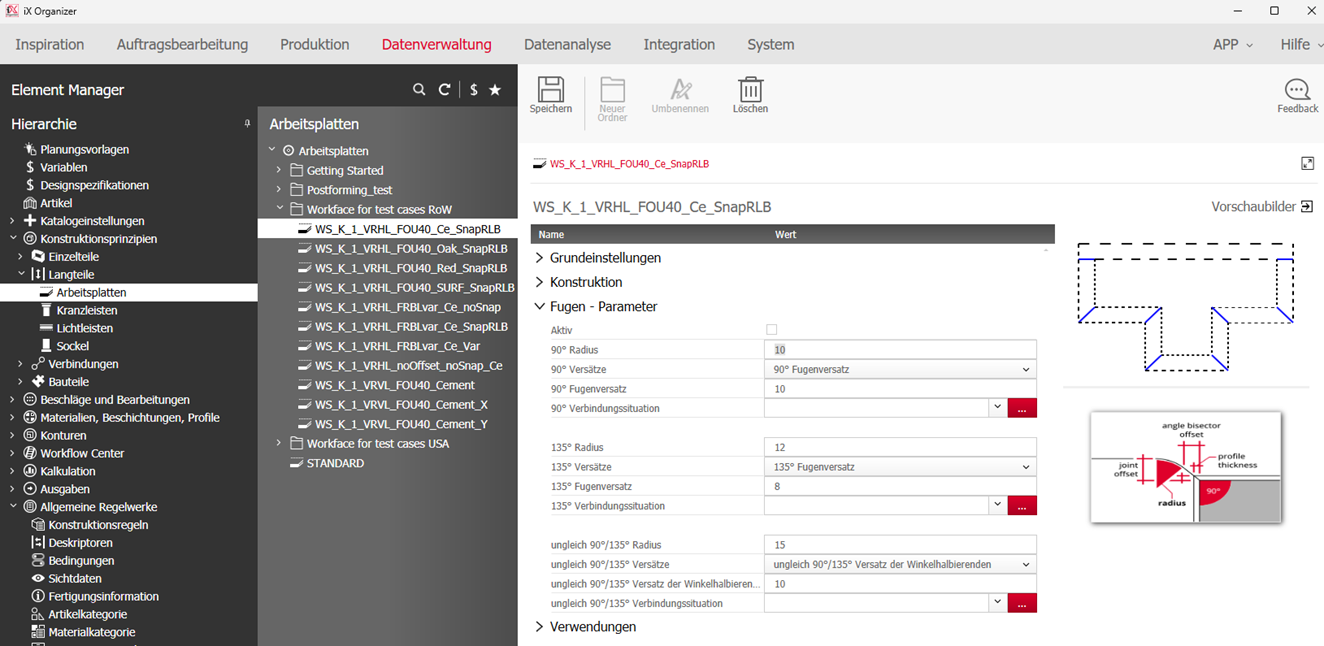
- Two worksurfaces forming a 90° angle
- Two worksurfaces forming a 135° angle
- Two worksurfaces forming an angle other than 90° or 135°
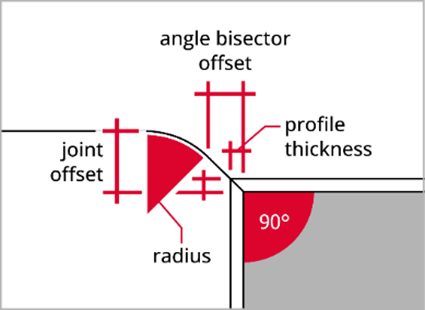
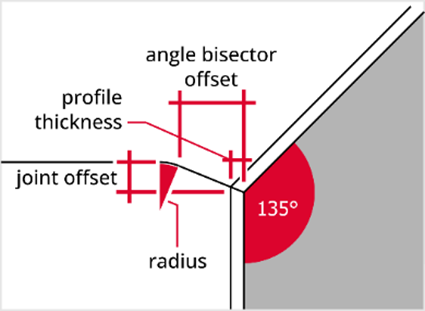
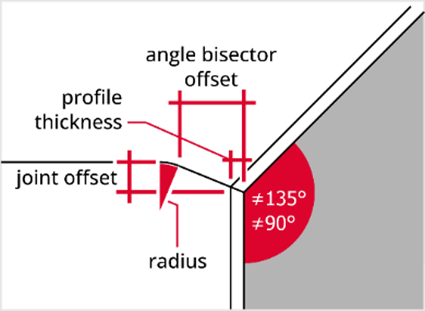
The path calculation for the joint cut can be done in two ways:
- depending on the radius of the arc contour and the offset of the angle bisector
- depending on the radius of the arc contour and the offset of the depth cut
You can choose which approach you want to use in each corner situation.
All joint parameters are described in the table:
| Parameter | Description |
| Active |
Activate or deactivate the joint parameters for the respective corner situation of the worksurface. If you check this box, the joint parameters become active. This means that when the Worksurface principle is assigned, the joint cut is automatically calculated based on the parameters if the respective angle is present at the worksurface corner. Users do not need to manually select a Splitting principle. If NOT checked, users will be prompted to select an appropriate Splitting principle after choosing a cut suggestion. Note: The joint parameters are included in the program since version iX 2023 SR2. When you update to iX 2023 SR2 and newer, the joint parameters of existing Worksurface principles will be filled with default values. The "Active" checkboxes will NOT be checked, so data administrators can decide for themselves whether to use the new function. |
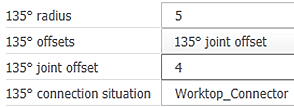
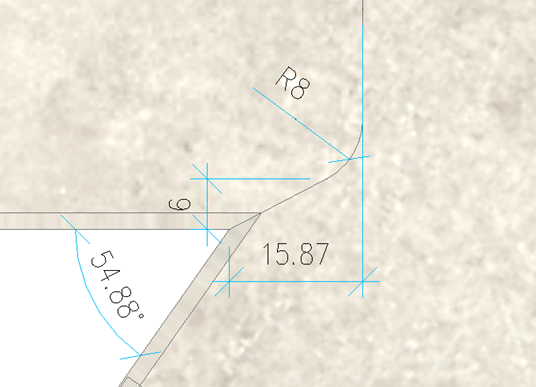
| Radius | The radius defines the arc contour that forms the transition between the depth cut and the angle bisector. A value >= 0 must be entered. |
| Offset Measure |
Decide which parameter should be used for the path calculation: - Angle bisector offset - Joint offset
Depending on your selection, the field for entering the desired value will be displayed. |
| Joint Offset | The joint offset is the perpendicular allowance measured for the joint cut. The joint offset is usually used as a parameter for calculation in corners =90° or =135°. |
| Angle Bisector |
The offset of the angle bisector is the perpendicular distance measured from the front edge of the panel to the start of the radius/ to the end of the diagonal cut. The angle bisector is usually used as a parameter for calculation in corners other than 90° or 135°. Even for angles other than 90° or 135°, the bisecting cut must be sufficiently deep to completely cut through the front edge profile of the panel. This cannot be adequately ensured by defining the joint offset alone. Specifying the offset of the angle bisector and the radius ensures that the bisecting cut is sufficiently deep. The value for the offset of the bisector can also be modified by the designer or the salesperson during planning. As a convention, the offset of the bisector should be slightly greater than the thickness of the worktop front edge profile. |
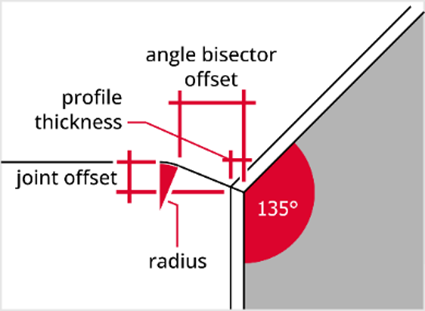
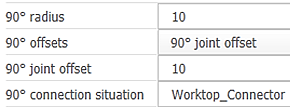
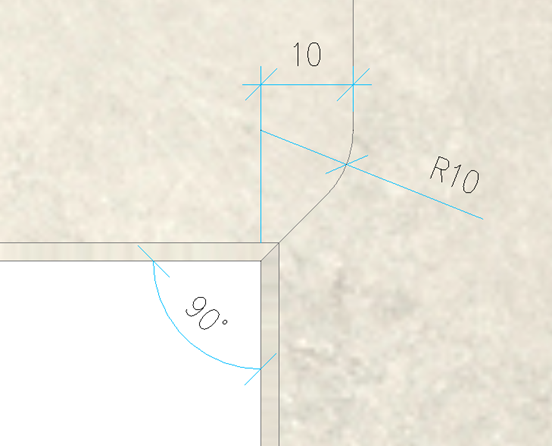
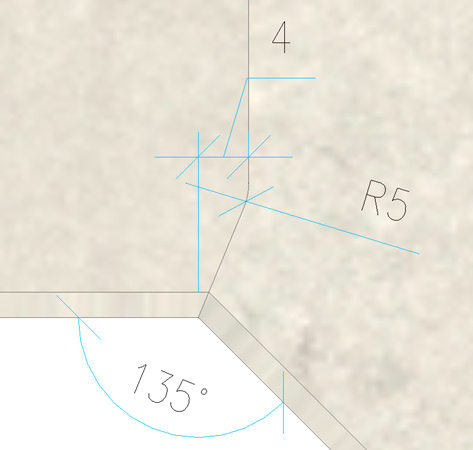
Examples of joint parameters in 90° and 135° corner situations and their impact:
 |
 |
 |
 |
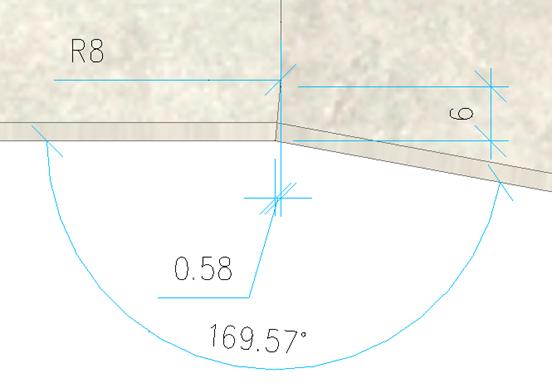
Examples of joint parameters in extreme angle situations other than 90° and 135° and their impact:

Apply Worksurface Joint Parameters
Previously, salesmen and designers needed a certain level of expertise to assign the correct Splitting principle in specific corner situations and profiles of worksurfaces.
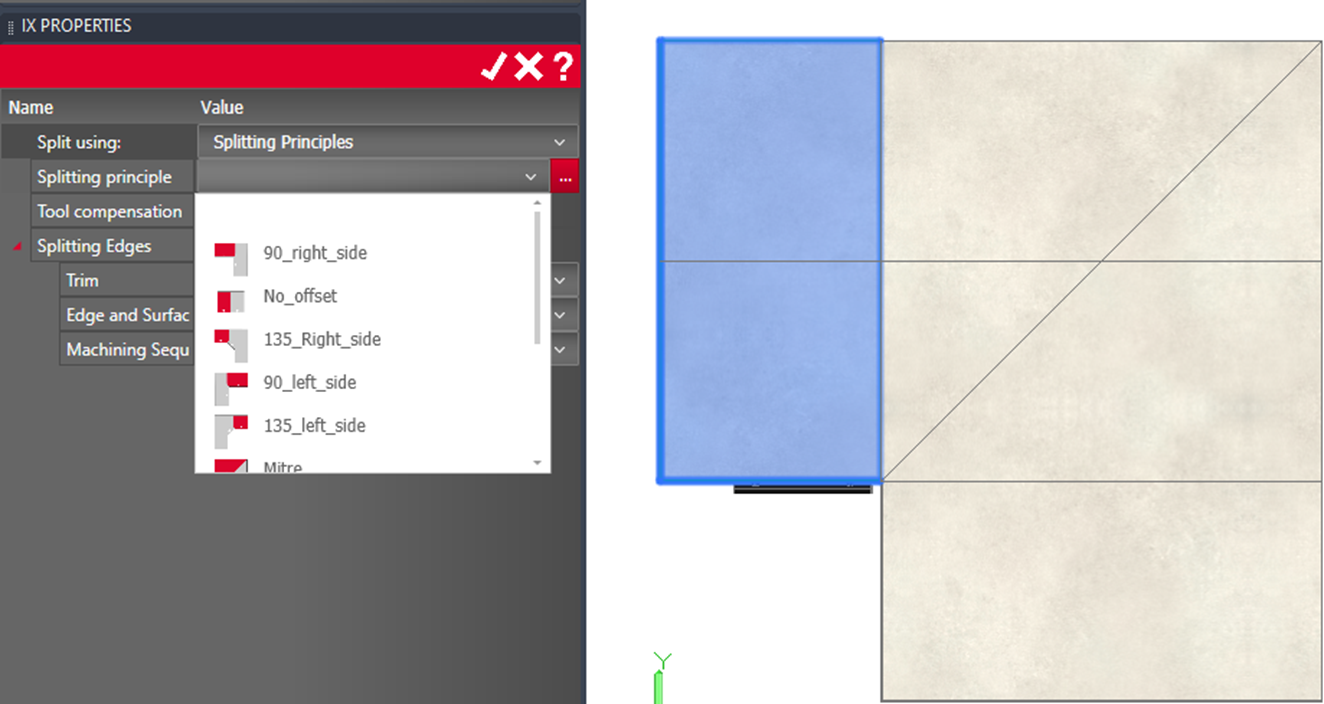
With the joint parameters now included in the Worksurface principle, the user simply needs to apply the cut with the given parameter values.
In the iX Properties palette, the user can manually adjust the joint parameters for the currently active cut suggestion, as well as the Connection Situation.
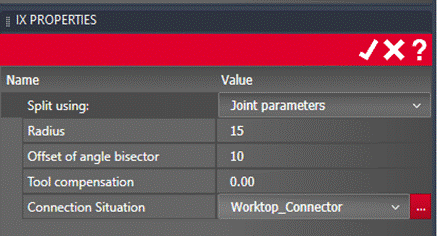
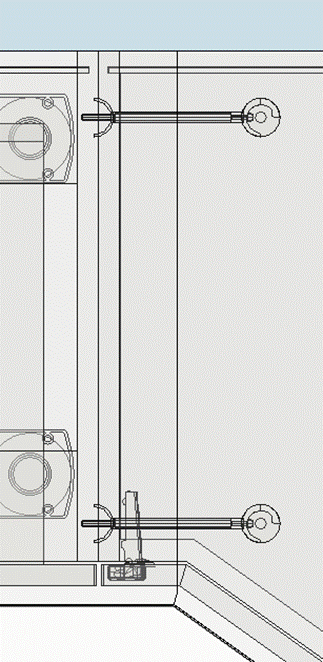
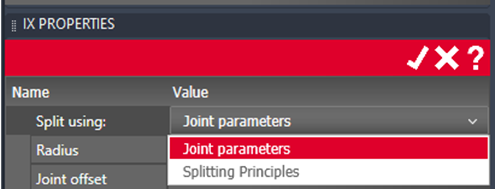
If the user prefers to apply a Splitting principle instead of the Joint Parameters, they can switch to 'Splitting Principle' via 'iX Properties > Split using...' and apply a Splitting principle.
Conversely, to switch back to 'Joint Parameters' in the 'Separate with' field, joint parameters must be active and defined in the used Worksurface principle.