
iX Showcase*
*Not part of the base installation.
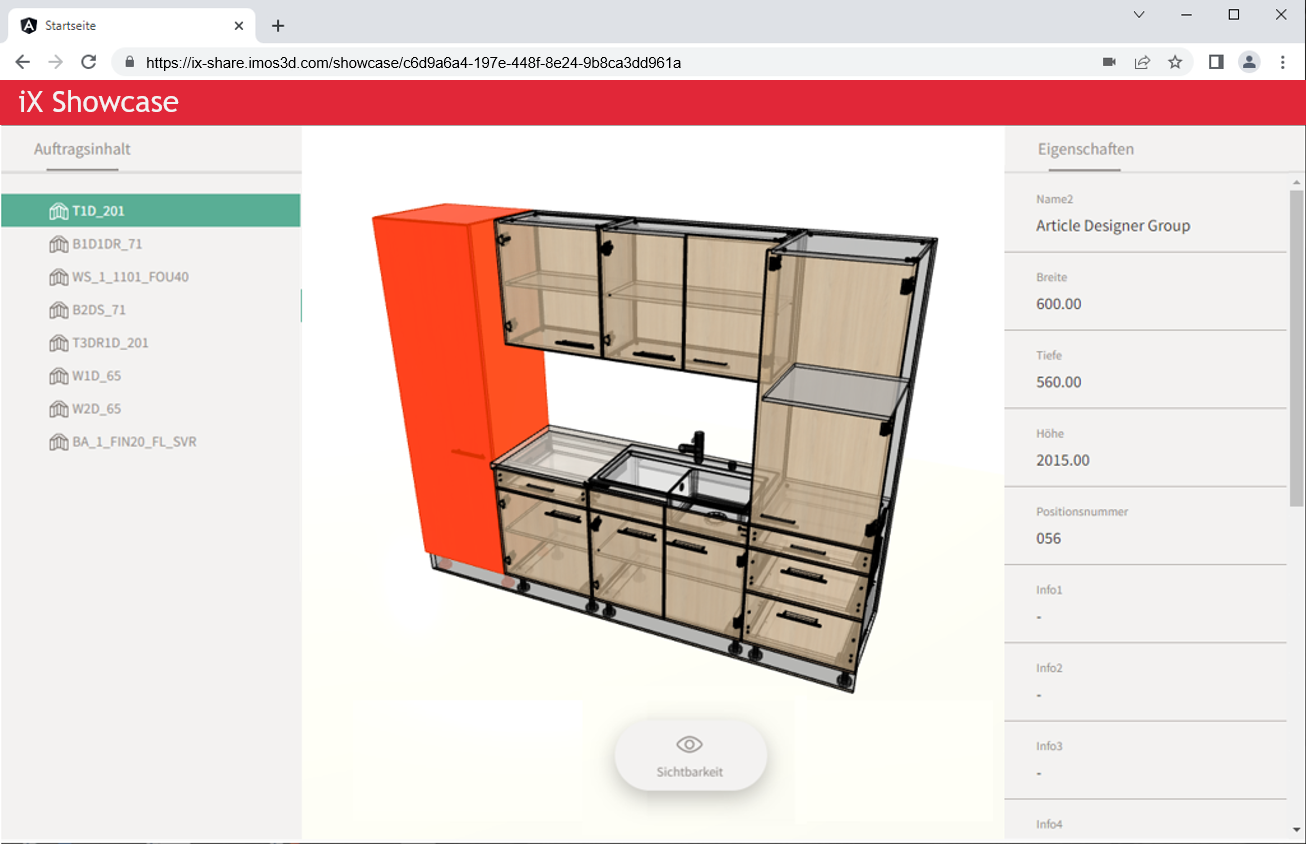
With iX Showcase, you can exhibit furniture planning online at the touch of a button and share the web link with your customer.In a 3D preview, the customer can view the planning from all sides and read the most relevant article information.
This has various advantages:
- You save time because you don't have to create floor plans and views.
- You have less paper consumption.
- The customer can share the link with friends to exchange ideas with them.
- You can re-upload changes that you make later on.
The order is uploaded to the server from the applications iX Plan, Design or CAD.
Note: The storage volume on the servers is limited.That's why every web link has an expiration date.After expiration, the order is deleted from the server to free up disk space.
Upload an order to iX Showcase
Prerequisite:
- iX Showcase license
- iX Plan/ Design/ CAD License
- An order is open in iX Plan/ Design/ CAD
-
Go to Ribbon menu > Output tab.
-
Click iX Showcase.A settings dialog opens.
- Change the settings, if necessary.
Option Description Visualization Level Select the visualization level as in the Visu-Manager.
Default value: Start visualization level from iX Options
Possible values: from 0 to 6
Accuracy Select the level of detail of arcs in the drawing.
The higher the level of detail, the larger the file of the 3D model."High" is therefore only recommended for complex curved parts.
Possible values:
- Low
- Medium (default value)
- High
New Selection Select iX elements that you want to share in iX Showcase.
Temporarily hides the dialog and reappears when you right-click to confirm the selection.
Default selection if you do not make an individual selection: all iX elements
Edit selection Edit element selection later on.
Temporarily hides the dialog and reappears when you right-click to confirm the selection.
Duration Enter the number of days after which the order should be deleted from Showcase.
Default value: 5
Maximum Value: 25
- If the order has never been shared, click Apply.
If the order has already been shared, but you want to upload changes, click Update.
Result:
- The open order is exported, uploaded to a server, and a URL is generated.The URL is copied to the user's clipboard.The order data includes the 3D drawing, the iXplorer hierarchy at article level, as well as rudimentary article properties; they do not contain any personal data.
- If possible, imos iX starts the default email client and writes an email with the URL.
- The next time you open the iX Showcase dialog, you will see the expiration date of the URL and the job owner who uploaded the job .
- Share the URL from the clipboard with others in a way you prefer, for example by mail.
Remove order from iX Showcase
In general, an order is deleted from iX Showcase after the expiration date.However, you can also manually delete the order from iX Showcase before the expiration date.
-
Go to Ribbon menu > Output tab.
-
Click iX Showcase.A settings dialog opens.
- Click Delete in the dialog.The order will be removed from iX Showcase and the URL will lose its validity.