
Filler - Hide the 2D symbol
Question
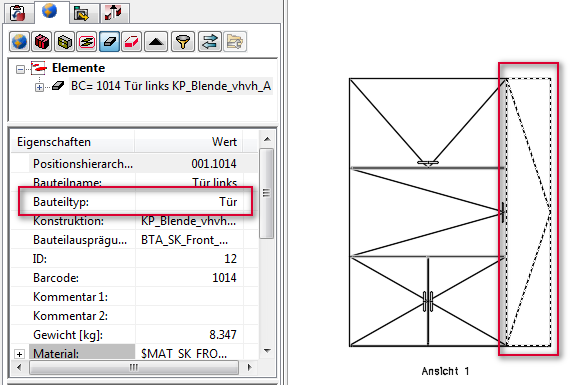
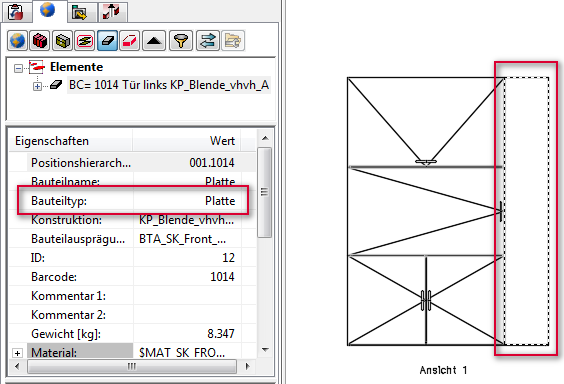
I don't want to see the 2D symbol for fillers in sections.What do I have to do?
Answer
Change the part type from "door" to "panel".
These topics could also be interesting for you:
- Display door hinge in elevation view drawing
- Suppress output of 2D symbols for drawers
- Change 2D Symbols for Doors
- Change orientation of the 2D symbol
March 2017 | Version 12SR2
#00688