
Change 2D Symbols for Doors
Question
I want to change the 2D symbols in the section drawings for doors, to generate drawings for US customers.What do I have to do?
Answer
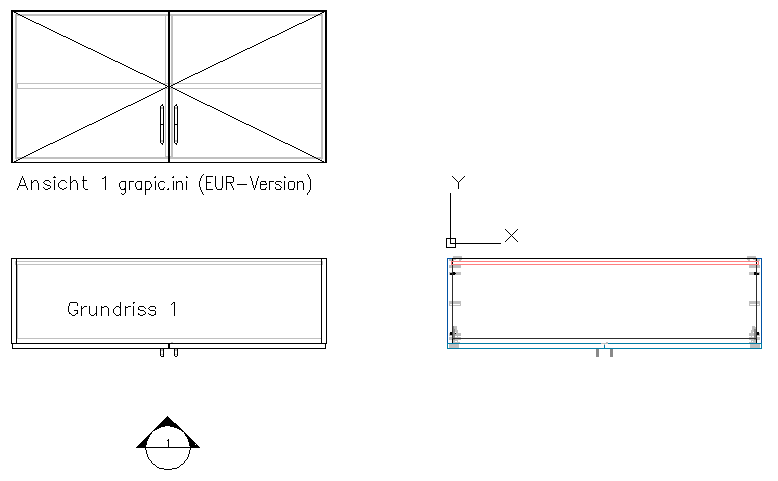
In Europe usually the 2D symbols in section drawings...
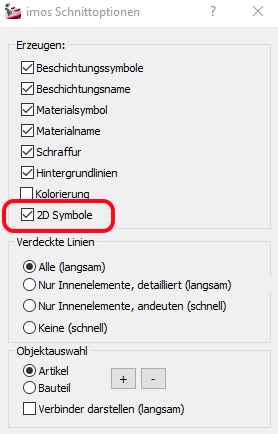
...are set in that way, so that the tip of the triangle is on the side of the pull.
In the USA it's exactly the opposite.
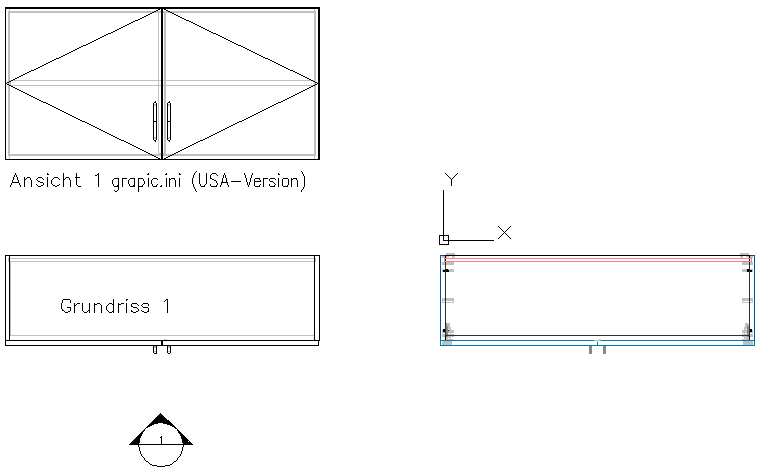
If I want to generate section drawings for US customers, you can change the 2D symbol for doors in the following way.The same obviously applies in the other direction - if I (as US company) want to generate drawings for European customers.
For 2D symbols, imos uses entries of the „GRAPHIC.INI“ file.You find this file in the directory: C:\ProgramData\imos AG\imos CAD 12.0\config or C:\ProgramData\imos AG\imos CAD OEM 12.0\config.
Note:

If you want to make adjustments, please contact your imos service partner or the imos hotline.We would like to send you the current graphic.ini and help you to install the files on your system.