
Controller extended by rules for the distribution of tasks
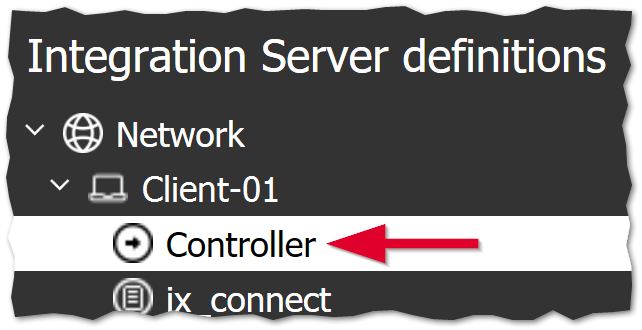
A conversion of the system architecture of the Integration Server ensures that the Integration Server functions more robustly and with better performance.
The load balancing of iBots and output batches has been optimized.The polling time ("waiting time") for the processing of orders can thus be reduced and it is still possible to execute processes in a controlled and parallel manner.
A distinction is made between non-critical and critical processes.
Non-critical processes such as the process data transfer can run in parallel with any other processes.
Critical processes, especially those that use CAD, cannot run in parallel with other critical processes.You can control which critical processes have priority.For example, the SIM order generation and an output batch that generates drawing outputs both require CAD.If Priority=Sales Import Manager is set in the controller, the order generation is always processed first and only then the drawing output.
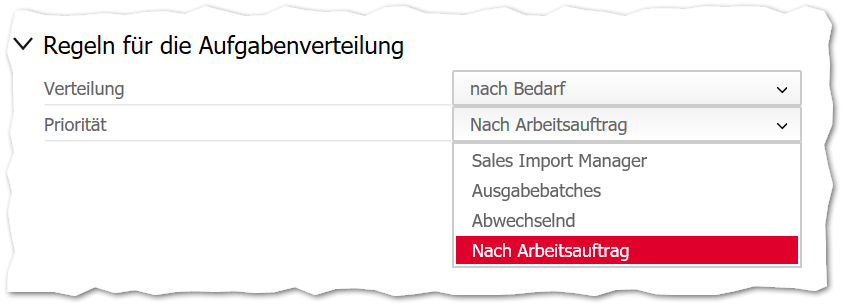
You can control the Job distribution rules in the controller in the section of the same name:
- Distribution
- On demand
- On quantity
- Enter quantity
- Priority (critical processes that cannot run at the same time)
- Sales Import Manager (first generate orders, then generate outputs)
- Output batches (first generate outputs, then generate orders)
- Alternating (alternate generating orders and generating outputs)
- By job order (by „timestamp“)
Tip: We recommend the combination Distribution = On demand and Priority = By work order (or by timestamp - first the older orders, then the newer ones).