
CONSIST - Synchronize master data with ERP systems*
*Not part of the base installation.
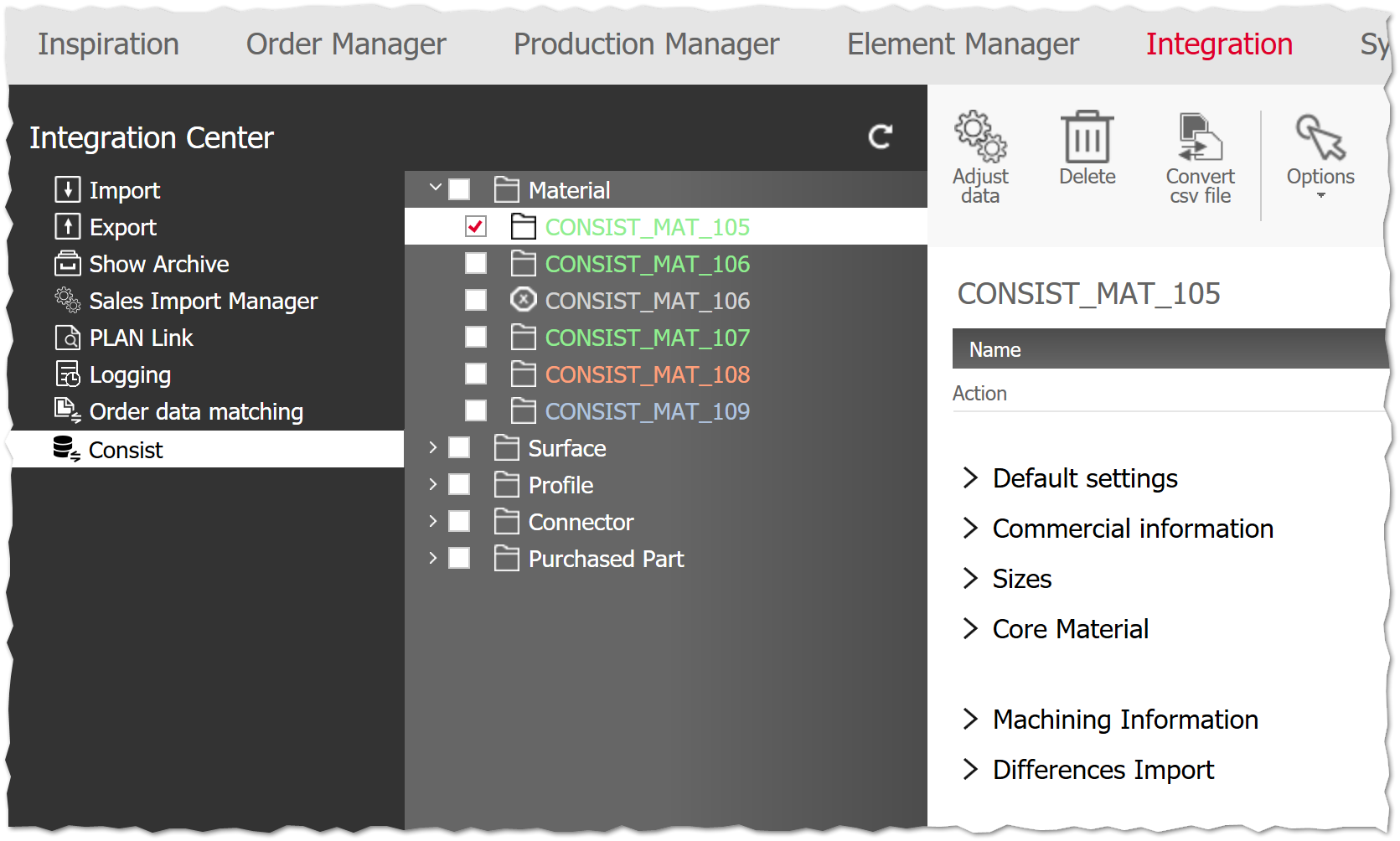
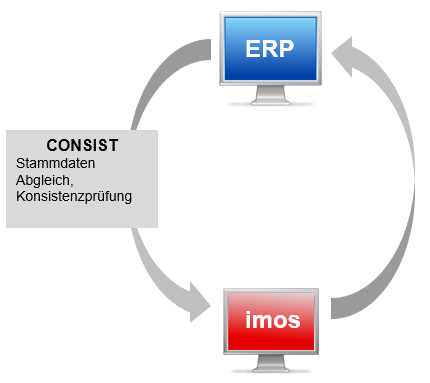
With the CONSIST module, you can synchronize master data between imos and ERP industry programs/merchandise management.
This synchronization (so-called "consistency check") can be carried out for the following principles:
- Material
- Surface
- Profile
- Connector
- Purchased parts
In the menu bar you will find the following functions:
| Refresh: | Refresh list (reload information from transfer table) |
| Options: | Control visibility and selection of data |
| Adjust data | Adjust (synchronize) selected elements in the imos database |
| Delete: |
Remove erroneous data records from the transfer table that should not be adjusted. This process does not delete from the database! Attention: The deletion of data records may lead to inconsistencies.Therefore, delete only in exceptional cases when errors occur. |
Info: The CONSIST module for the iX Organizer is a revised development of the CONSIST from the Administration Center of older imos versions.The old format of the standard CONSIST interface is still supported via the CSV import.However, this cannot be automated.
Manual procedure
Prerequisite:
- Feature CONSIST, iX Organizer
-
ERP is set up in such a way that it automatically fills the imos transfer table with data
Alternative: Convert CSV file manually.Please note that the CSV import cannot be automated and the update of existing data is not planned.
-
Go to iX Organizer>Integration>Consist.
ERP data is listed – each entry is highlighted differently depending on its status:- Green: up-to-date
- Orange: changed
- Gray: An error occurred.Amend it.
- Blue: new principle
- Tick the entries you want to adjust.In Options you will find checkboxes with which you can optionally check entries of a certain status.
-
Click on Adjust data.The data of selected entries are transferred to the imos principles, e.g. a price change that the ERP has entered for a Material.
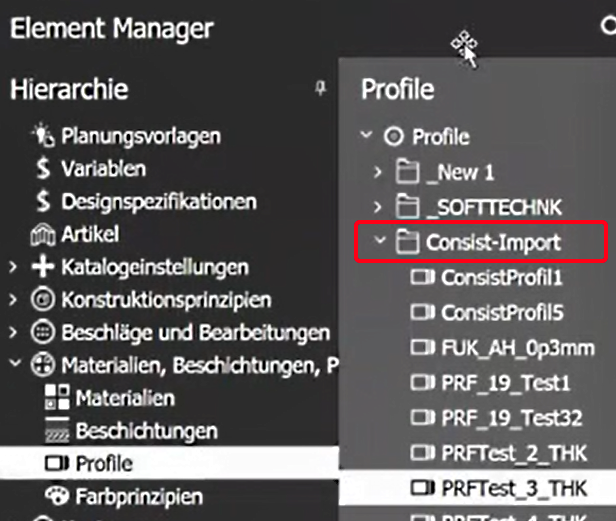
Note: In imos iX, principles that have been newly created by a synchronization usually have to be filled with additional imos iX-relevant data that the ERP itself cannot provide.Therefore, each newly imported principle in the Element Manger first ends up in the "Consist-Import" folder.
Automatic procedure
Prerequisite:
- Feature CONSIST, iX Organizer, iX Integration Server
-
ERP is set up in such a way that it automatically fills the imos transfer table with data
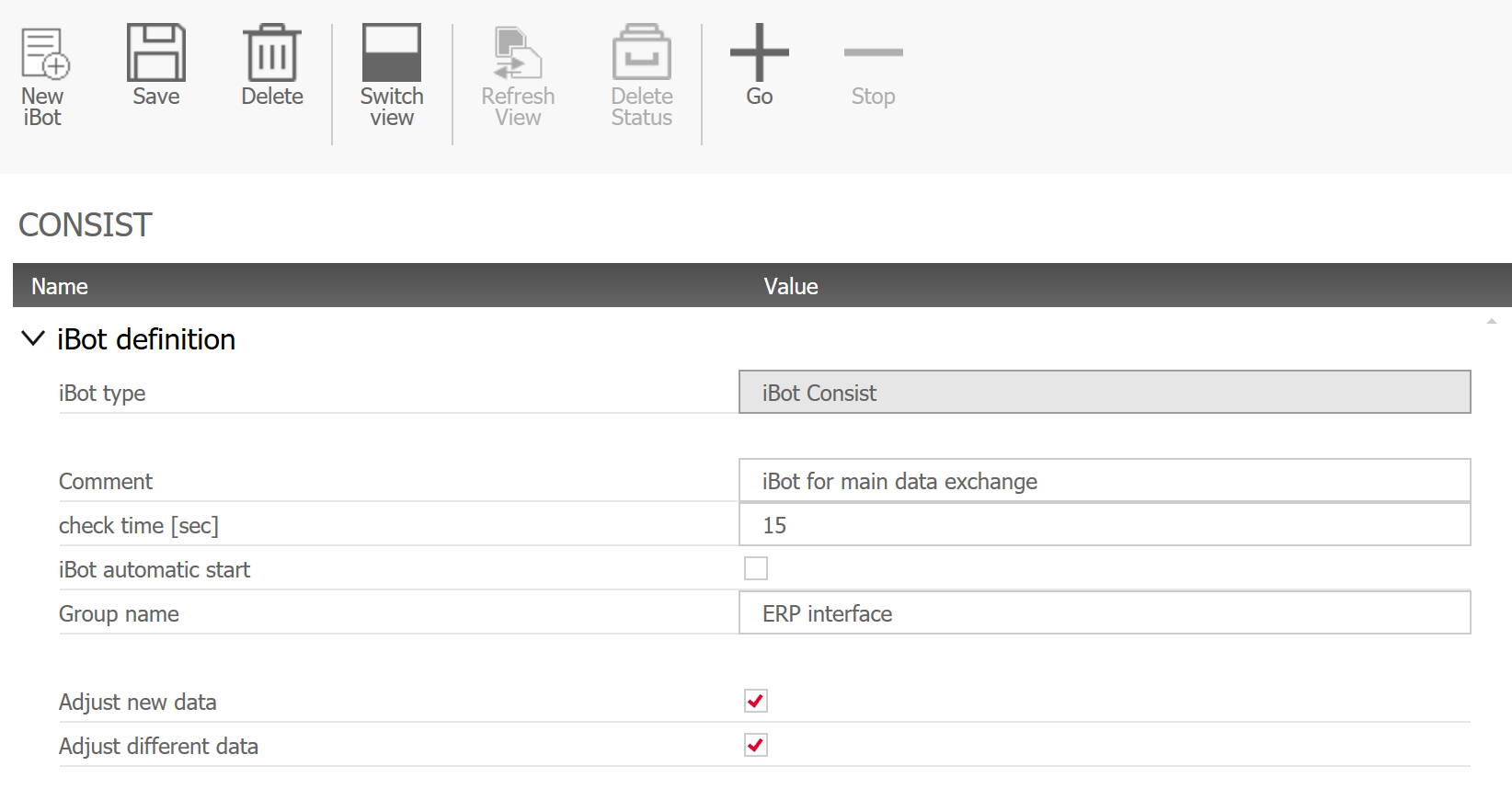
In the iBot Consist, you have the option of selecting data sets to be adjusted.A distinction is made between new data and existing data that is to be changed.