
Update
How to update iX desktop applications.
Requirement
Requires user account and maintenance contract.
Procedure
- Open iX CAD or Organizer.
-
Go to the 'Support' tab.
Tip: Alternatively, you can also download updates in the 'Software > Updates' section of the Support Center.
- Click on 'Check for Updates'. A dialog will open showing your current version number and the latest version available.
-
Specify a download path. By default, it will be the Windows 'Downloads' folder.
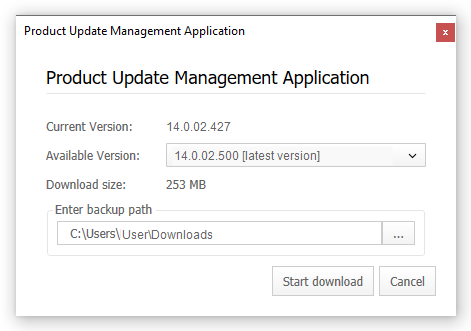
- Click on 'Start Download'.
- Once the download is complete, close all iX desktop applications.
- Double-click the downloaded setup file and follow the installation instructions.