
Install
How to download and install iX desktop applications.
Procedure
- Open an internet browser and visit the Support Center.
- Go to 'Software >Setup&DVD'.
- Download the setup for the desired version.
-
The downloaded setup file is named 'iXInstallmanager.exe'. Double-click the
file to open the Installation Manager.
The Installation Manager lists all the tools for system setup and the desktop applications available for download.
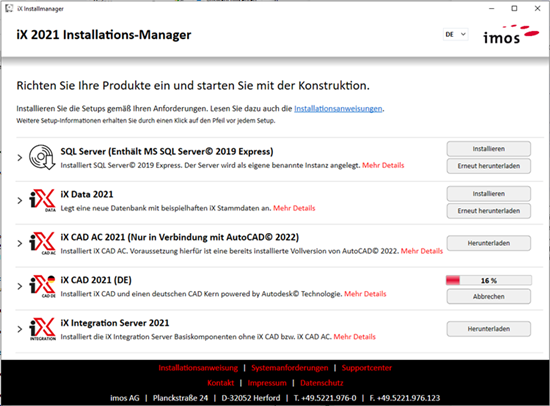
If you are unsure which setups you need or the order in which to install them, read the installation instructions linked in the dialog or the detailed descriptions. Expand the details by clicking the arrow next to the setup name.
Click "Download" to start the download of the respective setup and view the progress bar. Once completed, click "Install" to start the setup. If you need to re-download the file, click "Download Again". The setups are saved in the 'SetupRes' folder, located in the same directory as the iXInstallmanager.exe.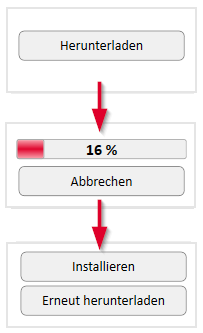
- Follow the installation instructions.