User rights and Group permissions
User rights limit the read and write permissions for sensitive main and order data; Group permissions manage the availability of program tools and contents.
User Rights
There are four types of user rights available.
- Administrator
- Super main user
- Main User
- User
In the Online Help, the difference between all four is described in detail.Here, it is summarized in a smaller table:
| Data Libraries | Order data | Use case | |
| Administrator |
Set up data libraries Overwrite own data libraries Overwrite data libraries of other users Changing configuration data |
Set up orders Change own orders Change orders of other users |
Administrator Data administrator |
| Super main user |
Set up data libraries Overwrite own data libraries Overwrite data libraries of other users Changing configuration data |
Set up orders Change own orders Change orders of other users |
Order Preparation |
| Main User |
Set up data libraries Overwrite own data libraries Overwrite data libraries of other users Changing configuration data |
Set up orders Change own orders Change orders of other users |
Advanced Order Entry |
| User |
Set up data libraries Overwrite own data libraries Overwrite data libraries of other users Changing configuration data |
Set up orders Change own orders Change orders of other users |
Order Entry Sales and Distribution |
User Rights can be assigned in the Organizer under System>Users
- in the dialog box of "Create a user"
- for an existing user via a respective selection box.
Group Permissions can be assigned along the User Rights in the same location.
Note: Please be careful when assigning extended rights and permissions to users.Otherwise, you jeopardize your main data!In particular, change the default password of the administrator in good time and share it only among relevant users.
Group permissions
A Group Permission contains settings for:
- Catalogs: Availability of Catalogs in the PLAN Configurator.
- Visibility: Showing/ Hiding program functions
- Modules: In "Available Modules", all purchased program modules are listed (Organizer>System>Dongle).
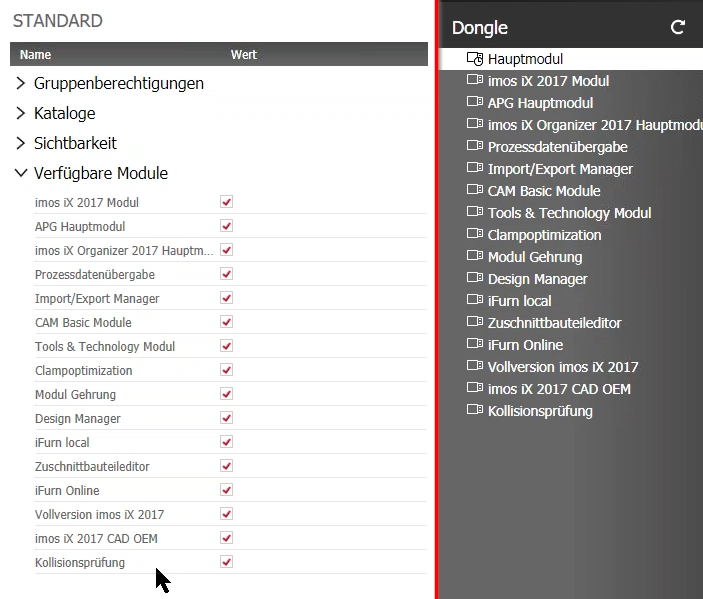
In the Group Permission principle STANDARD, all modules and functions are enabled andit is assigned to the Administrator by default.
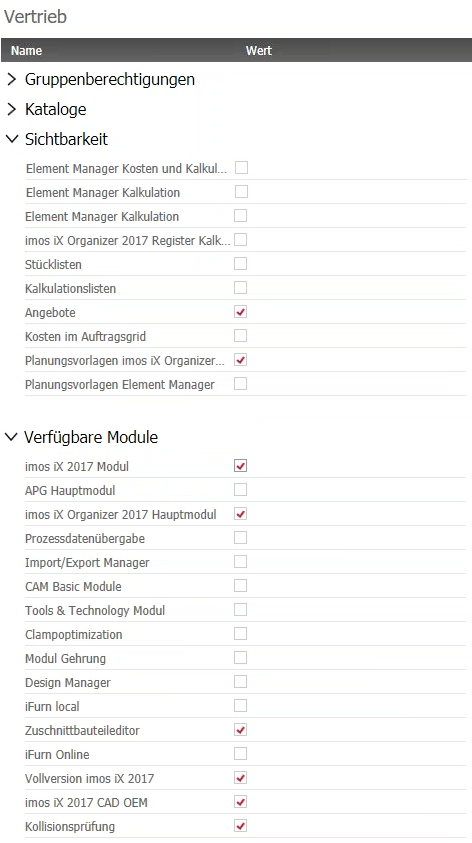
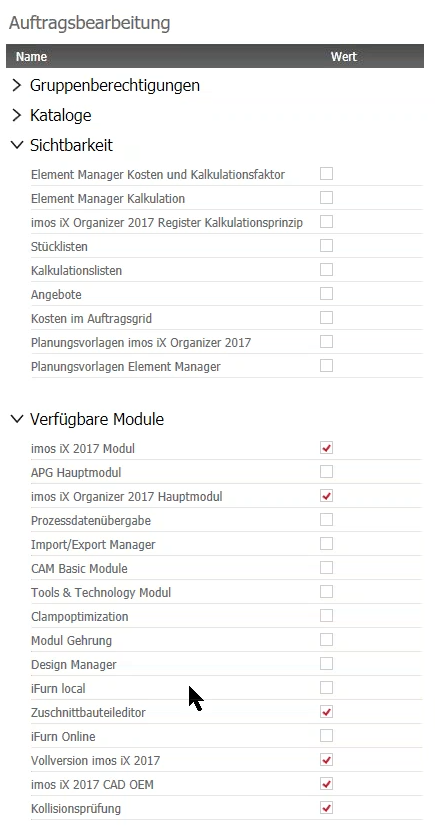
Create more principles relevant for your users.The following example can be used as a guideline:
- Order Entry
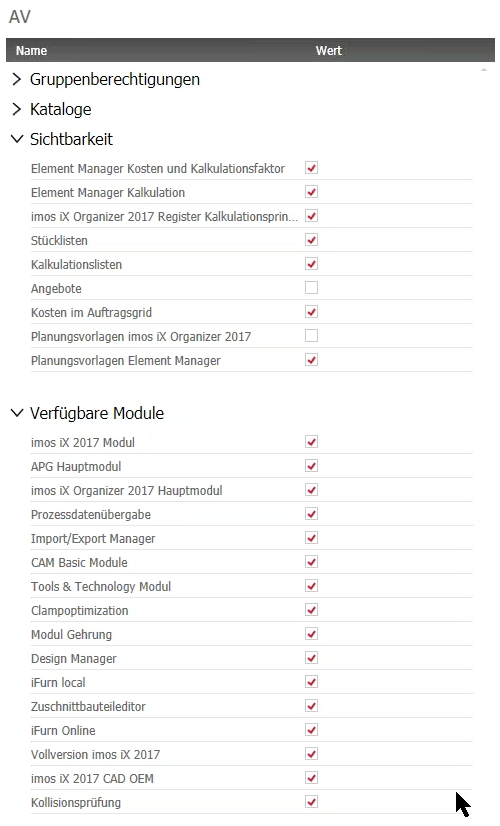
- Order Manager
- Sales and Distribution